To access notification settings, open your profile settings from the profile menu on the sidebar. Here, you'll find all settings associated with your profile, including configurations for audio, email, and push notifications.
Note: These settings apply to your profile only and do not change settings globally.
Audio Notifications
Audio notifications are available when you have VowChat open in the browser. They are sent immediately, based on your chosen settings.
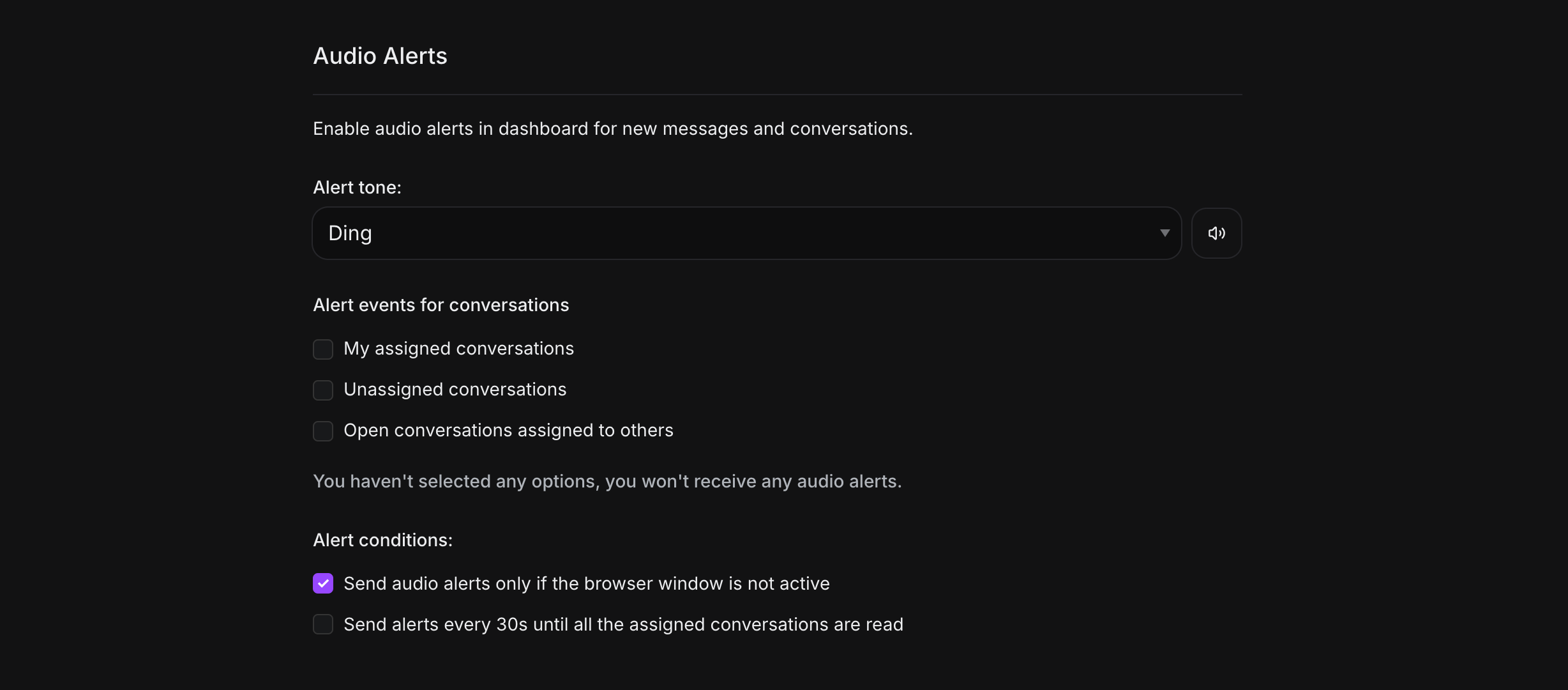
Alert tone
You have five different alert tones to choose from. Each tone can be previewed by pressing the preview button.
Alert events for conversations
Three options are available:
-
My assigned conversations: Alerts only for conversations assigned to you
-
Unassigned conversations: Alerts for conversations with no assignee
-
Open conversations assigned to others: Alerts for conversations assigned to peers, excluding unassigned conversations
Alert conditions
Two conditions are available:
-
Send audio alerts only if the browser window is not active
-
Send alerts every 30s until all assigned conversations are read
Recommendation for agents: Enable audio notifications for assigned conversations to balance staying informed while minimizing distractions.
Push Notifications and Email Notifications
VowChat sends notifications about new events via:
-
Browser push notifications
-
Mobile app notifications
-
Email
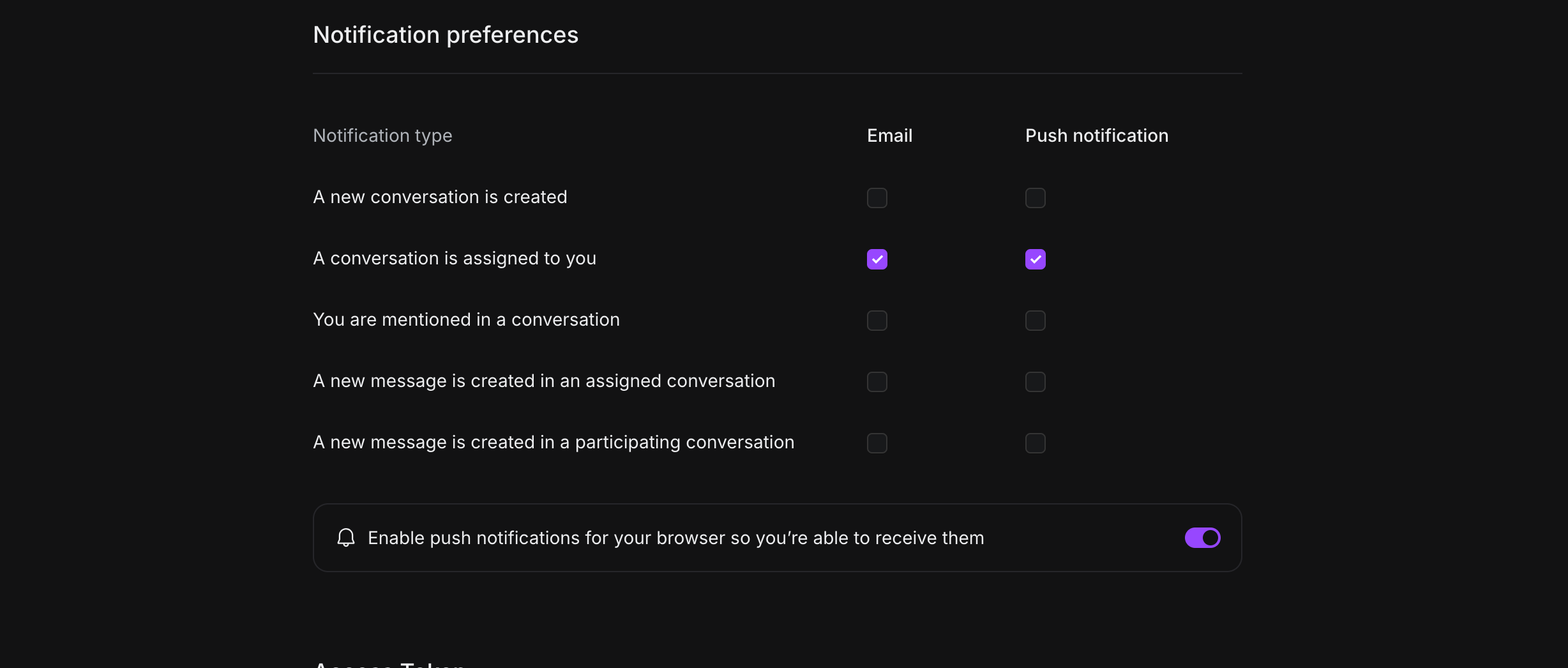
Recommended settings: Enable notifications for assigned and mentioned conversations.
Enabling push notifications in the browser
To enable browser push notifications:
-
Click the toggle to enable browser notifications
-
Your browser will prompt you to allow notifications
-
Click "Allow" to enable push notifications

If the prompt doesn't appear, check your browser settings to ensure notifications aren't blocked for VowChat.
Email Notifications
Email notifications keep you informed even when you're not actively using VowChat:
-
Configure which events trigger email notifications
-
Set frequency preferences to avoid inbox overload
-
Customize notification content based on your needs
By properly configuring your notification settings, you can stay on top of customer conversations without being overwhelmed!