A Channel is an instance that connects your website or social media accounts like Facebook, Twitter, or chat platforms like WhatsApp, Line, and more to VowChat.
You can have unlimited* Channels in your VowChat account. You can add a Channel to your account in any of the three ways described below.
I. Through your Welcome/onboarding screen
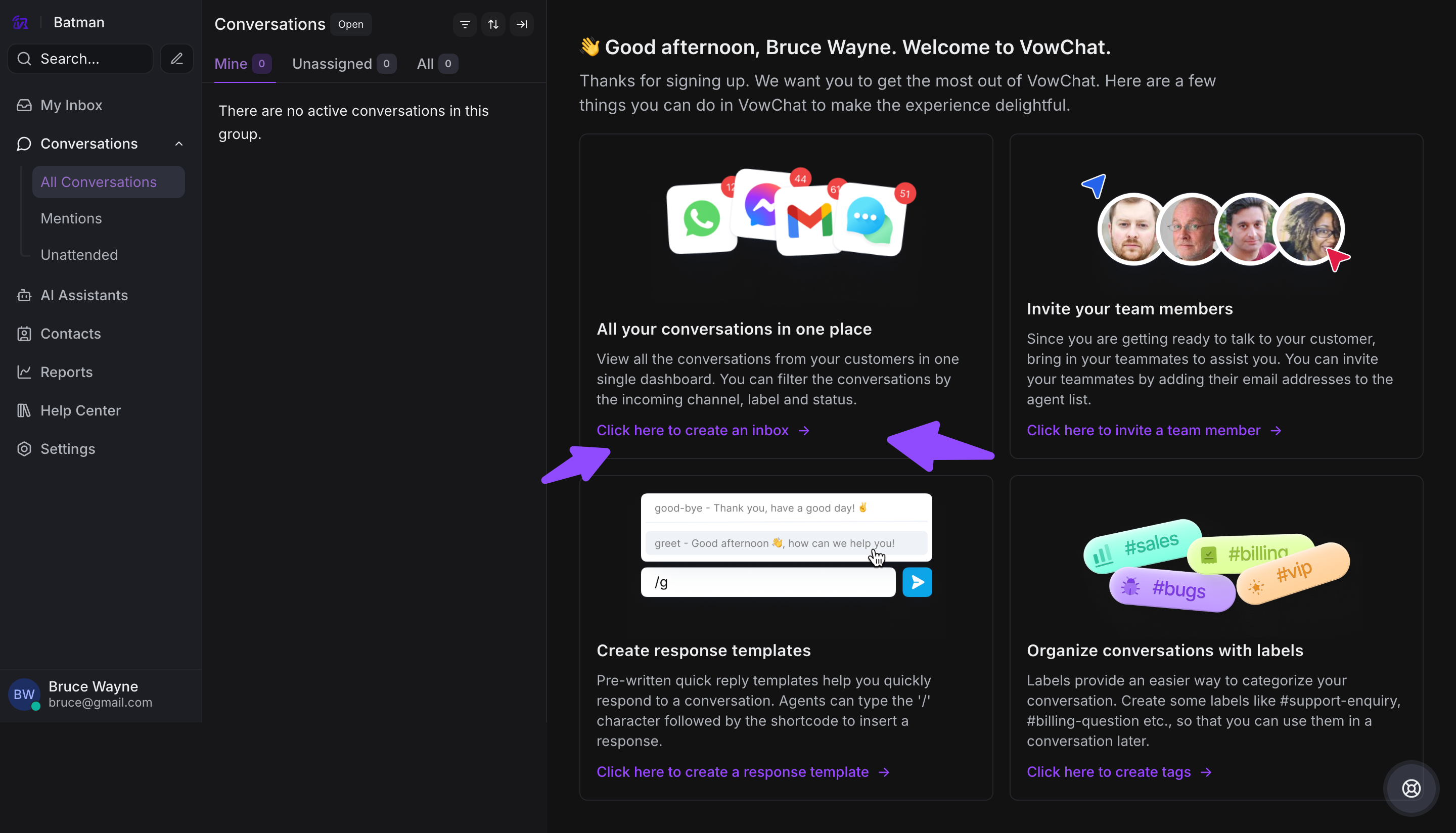
You'll see the option to connect your Channels on the onboarding screen. Click on "Click here to create a channel".
II. Through your Settings screen
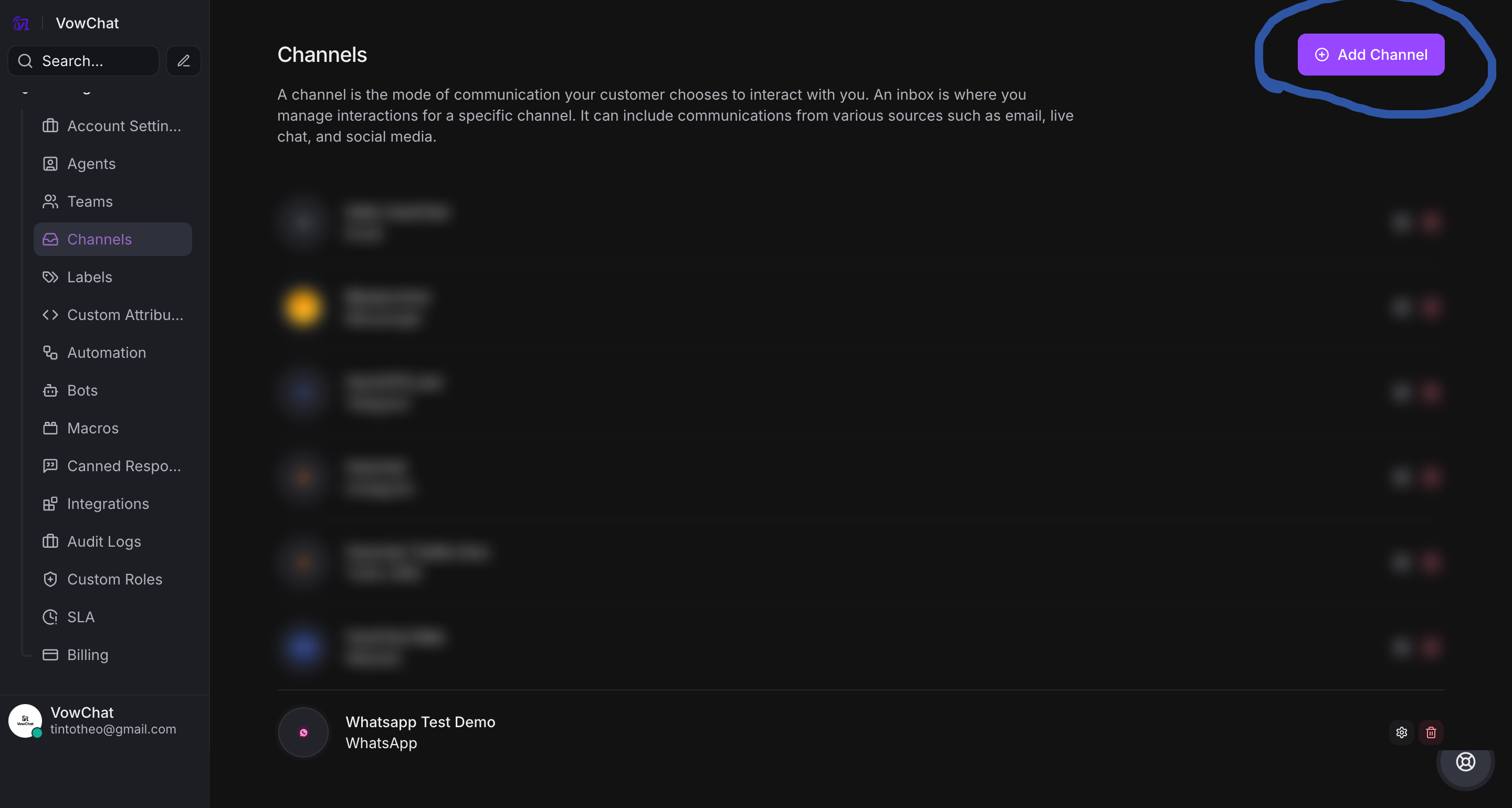
On your VowChat dashboard, navigate to Settings → Channels.
Start Adding Channels
Once you reach the channels screen, click on the "Add Channel" button at the top right corner of the page.
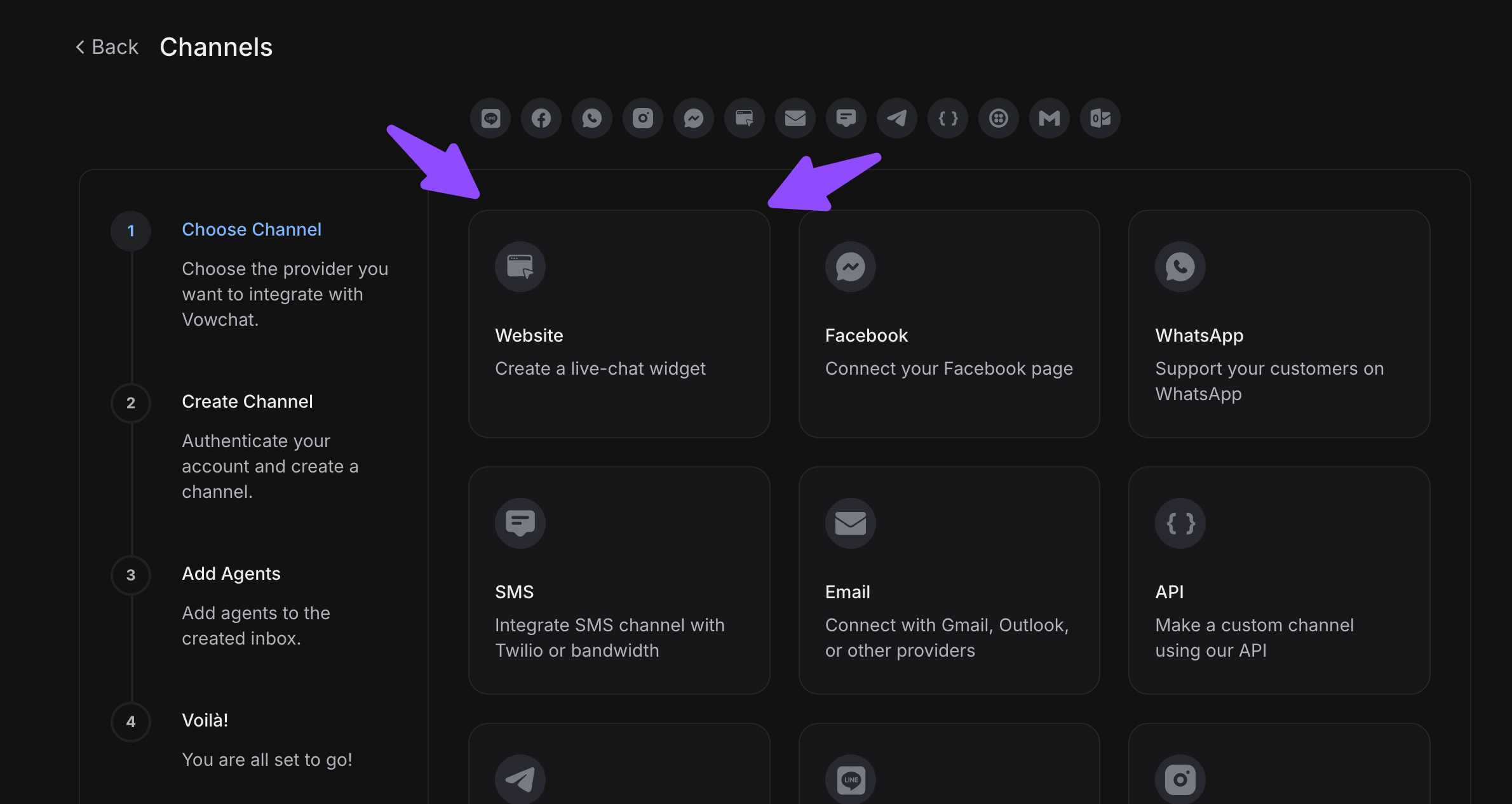
Start selecting channels. Supported channels include:
-
Website - Live chat widget for your website
-
Facebook - Messenger integration
-
Twitter - Direct message support
-
WhatsApp - Business API integration
-
SMS - Text message support
-
Email - Support email integration
-
API - Custom channel integration
-
Telegram - Direct messaging
-
Line - Popular in Asian markets
For detailed configuration instructions for each channel type, refer to our specific channel setup guides.
*Number of channels are subject to a fair use policy based on number of agents and subscribed plan