How to setup an SSL certificate for your Help Center's custom domain?
Using your own domain, like docs.your-company.com, makes your help center feel more trustworthy and on-brand. VowChat allows you to use your own custom domain and would help you to secure your site with SSL certificates so that it's safe for your visitors.
This guide walks you through setting up a custom domain for your Help Center portal in VowChat.
Note: This guide is for VowChat Cloud users.
TLDR: Add your custom domain in VowChat portal settings, update your DNS with the CNAME VowChat provides, and we will issue the SSL certificate. Once it's ready, your Help Center will be live and accessible to your customers.
Step 1: Set up your custom domain in portal settings
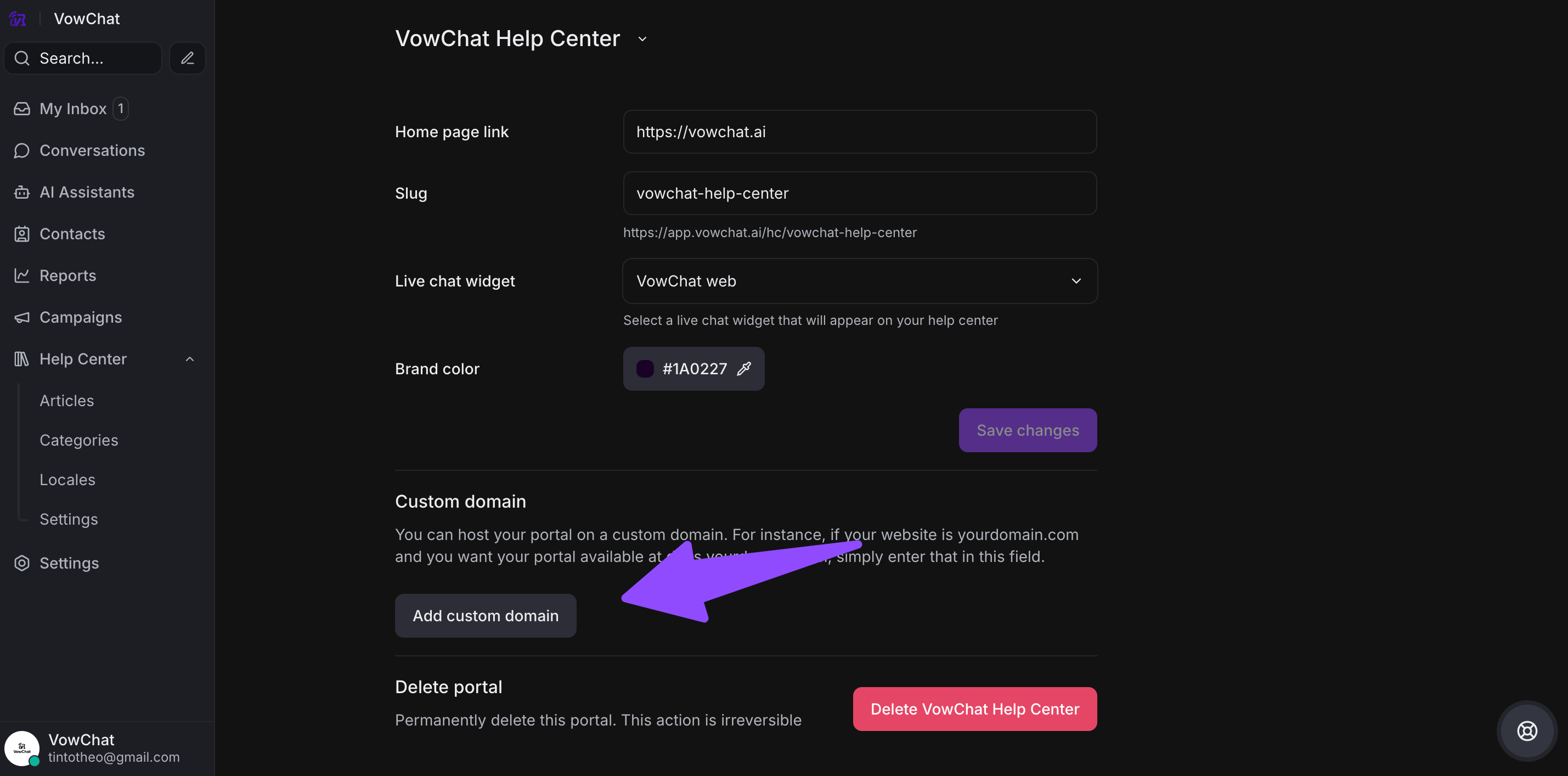
Log in to your VowChat dashboard and go to the Help Center you want to connect with your custom domain. Click on Settings, then scroll to the Custom Domain section. Click the Add custom domain button to begin the setup.
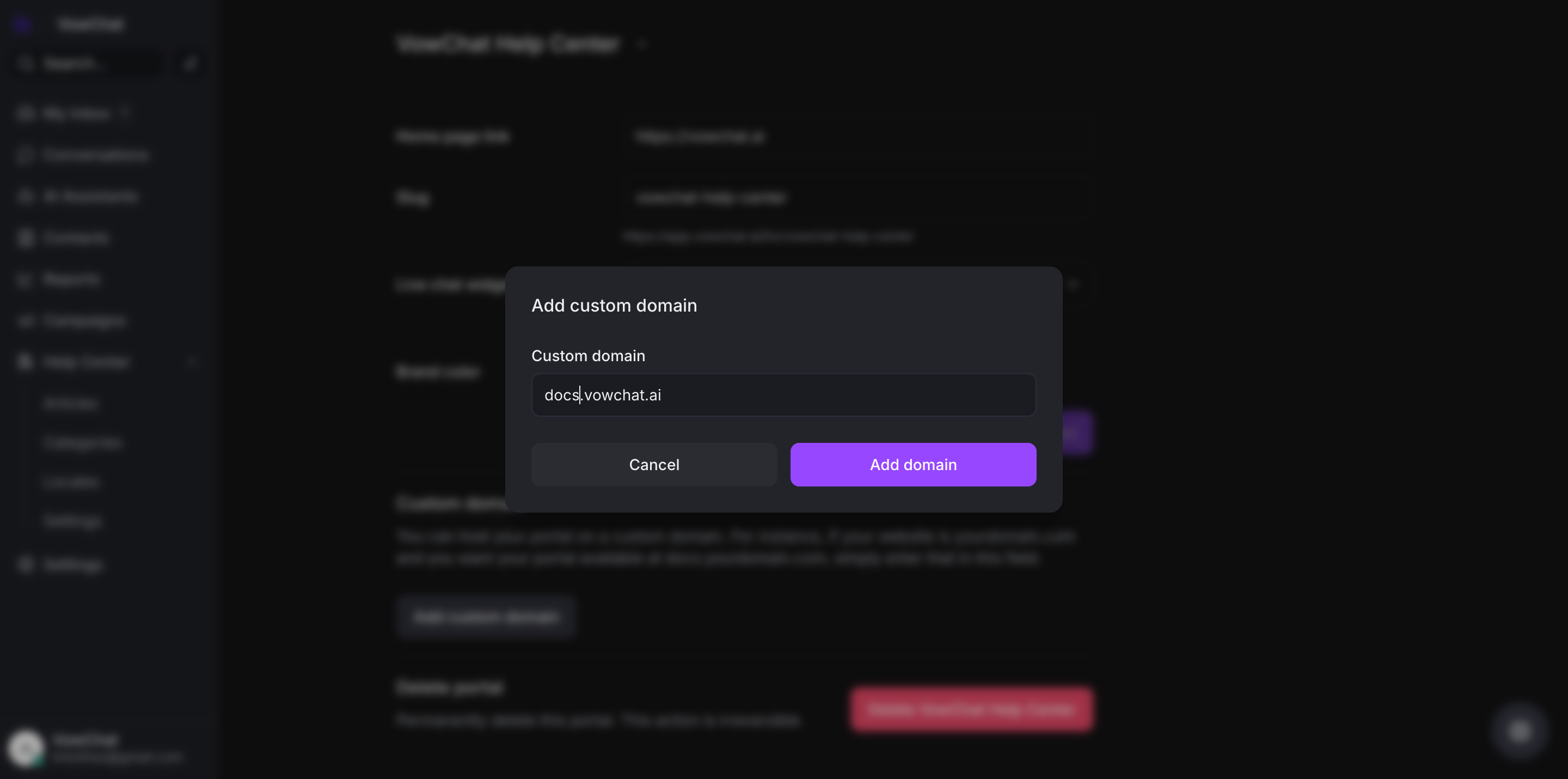
You'll now see a prompt asking for your custom domain. Enter the domain where you want your Help Center to be available (e.g., docs.yourdomain.com). This is the website address your customers will visit to access your documentation.
Next, you'll be shown the DNS settings you need to add so we can confirm that the domain is yours and connect it to your Help Center. You'll need to copy this information and update your DNS provider accordingly.
If you're not sure how to do it, you can use the option on the screen to email these details to your developer.

Step 2: Update your DNS with the CNAME record
You must point your custom domain to VowChat by creating a CNAME record:
-
Host: docs
-
Type: CNAME
-
Value: vowchat.help
Instructions vary by DNS provider. Check your DNS provider's documentation for specific steps.
Step 3: Getting an SSL certificate
VowChat automatically provides SSL certificates for cloud customers on paid plans with a custom domain. The process involves:
-
Automatic verification of the domain
-
Issuing the SSL certificate (typically takes a few minutes, but can take up to 24-48 hours)
-
Tracking certificate status in the VowChat dashboard
The dashboard will show different statuses:
-
"Awaiting Verification" - Initial stage
-
Error messages if there are issues with CNAME record or DNS propagation
-
"Live" status when the certificate is successfully issued
Once the SSL certificate is "Live", the Help Center will be securely available at the custom domain.