General settings allow you to customize your organization's account information in VowChat.
Accessing General Settings
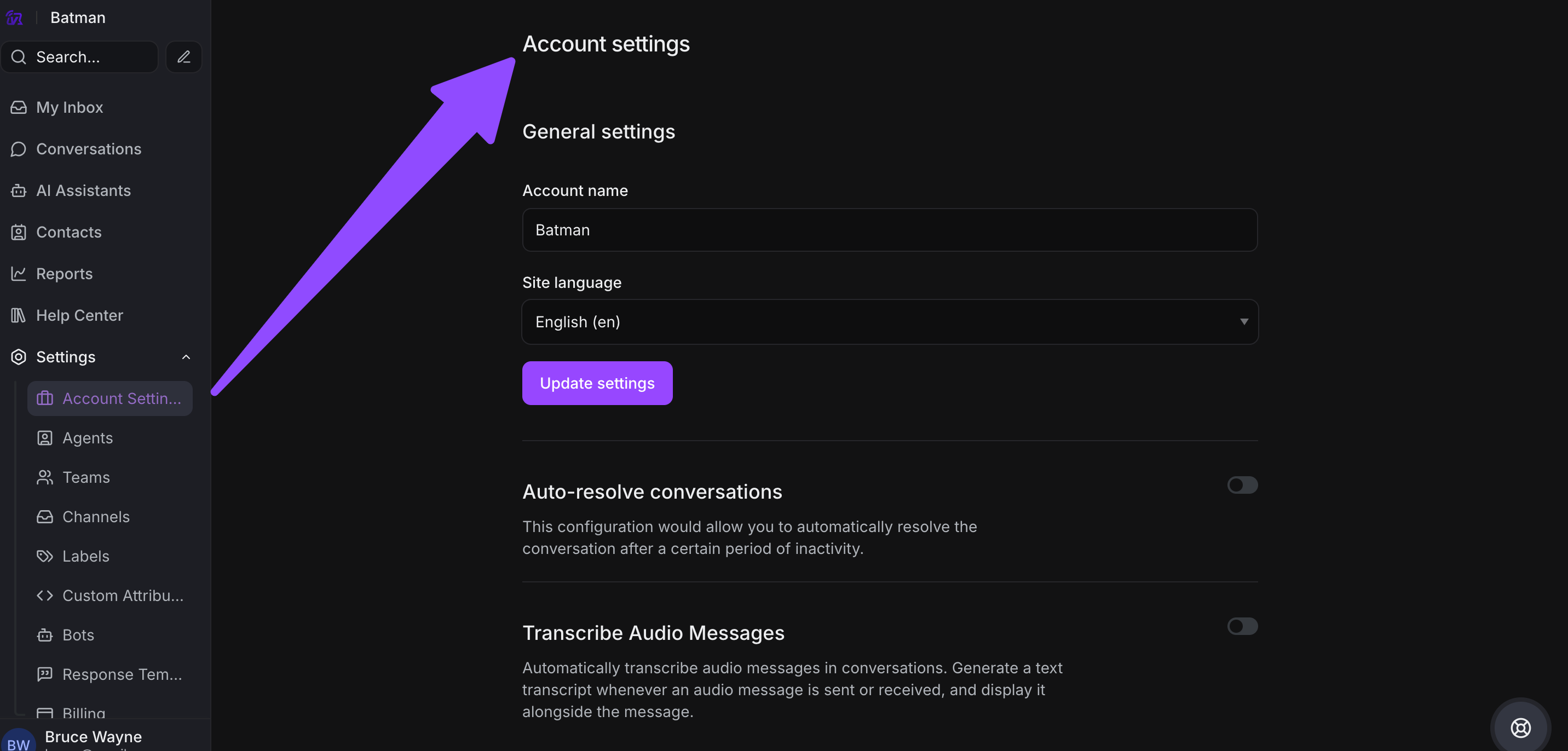
Navigate to Settings → Account Settings to access your general settings.
Configurable Settings
Account Name
Enter your organization's name (e.g., "Hopkins Inc."). This name will appear throughout your VowChat account and in communications with customers.
Site Language
Select your preferred language from the dropdown menu. For example, choose English (en) for English language interface.
The site language affects:
-
Dashboard interface language
-
System messages and notifications
-
Default language for automated responses
Ticket Auto-Resolution
Set the number of days after which an inactive conversation (ticket) will automatically resolve.
For example:
-
Set to 7 days for weekly auto-resolution
-
Set to 30 days for monthly auto-resolution
-
Leave blank to disable auto-resolution
This helps keep your conversation list clean by automatically closing inactive conversations.
Saving Your Changes
After making any changes:
-
Click the "Update Settings" button located on the top right of the screen
-
Wait for the success message confirming your changes have been saved
Your general settings will be applied immediately across your VowChat account.