Getting started with VowChat is simple! Follow these steps to create your account and begin providing exceptional customer support.
Step 1: Visit the Signup Page
Go to vowchat.ai and click "Create a free account" or visit the signup page directly at:
https://app.vowchat.ai/app/auth/signup

Step 2: Complete the Signup Form
Fill in the required information:
1. Full Name
Enter your full name (e.g., "John Hopkins")
2. Work Email
Provide your business email address
3. Account Name
Choose a name for your account (e.g., "Wayne Enterprises")
4. Password
Create a strong password that includes:
-
At least one uppercase letter
-
At least one number
-
At least one special character
5. Confirm Password
Re-enter your password to confirm
6. Coupon Code (Optional)
If you have a coupon code, enter it here to apply discounts or special offers
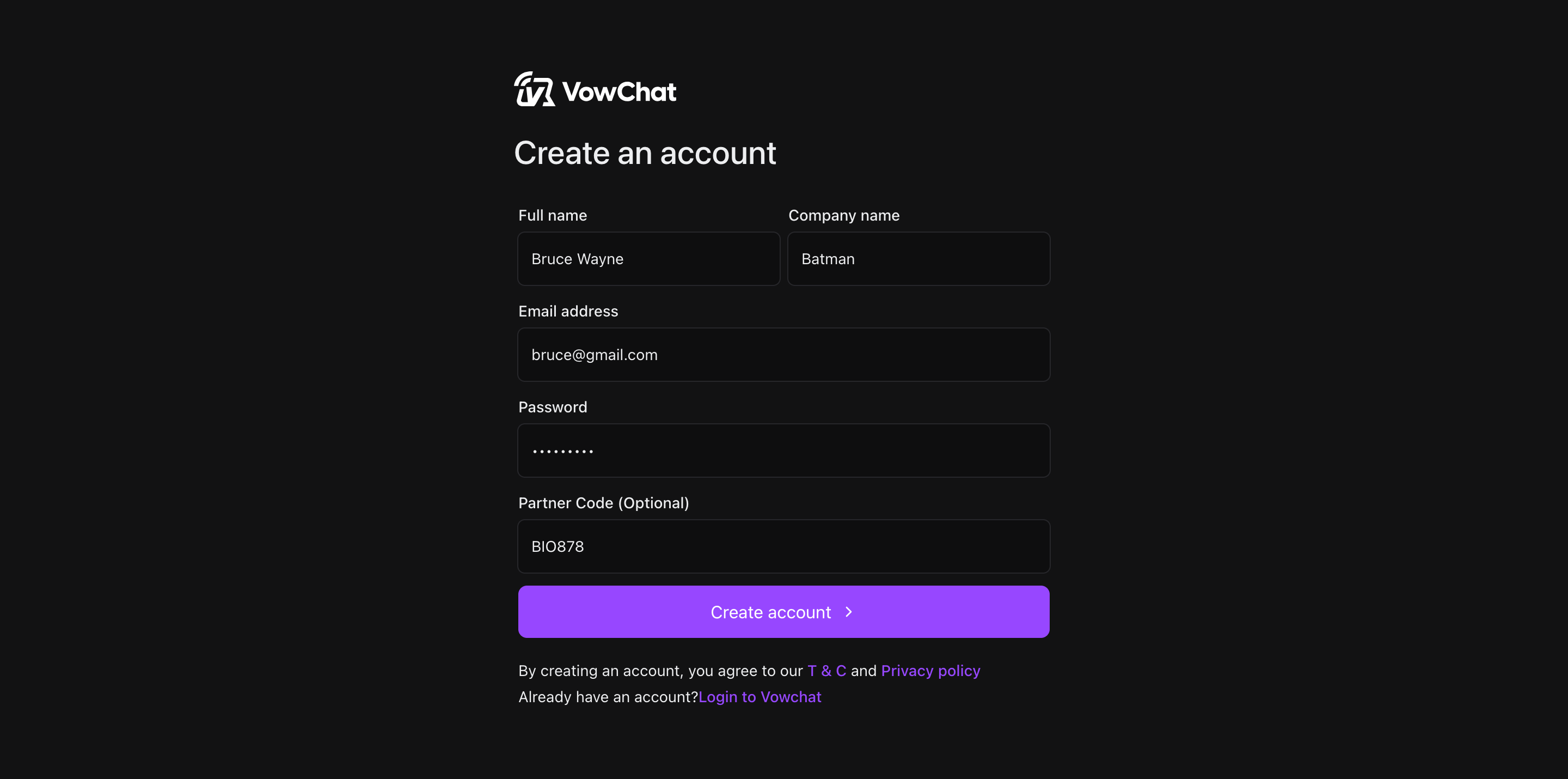
Once you've filled in all fields, click "Create Account" to continue.
Step 3: Email Verification
After submitting the signup form:
-
You'll be automatically logged into your VowChat dashboard
-
Check your email inbox for a message titled "Confirmation Instructions" from VowChat
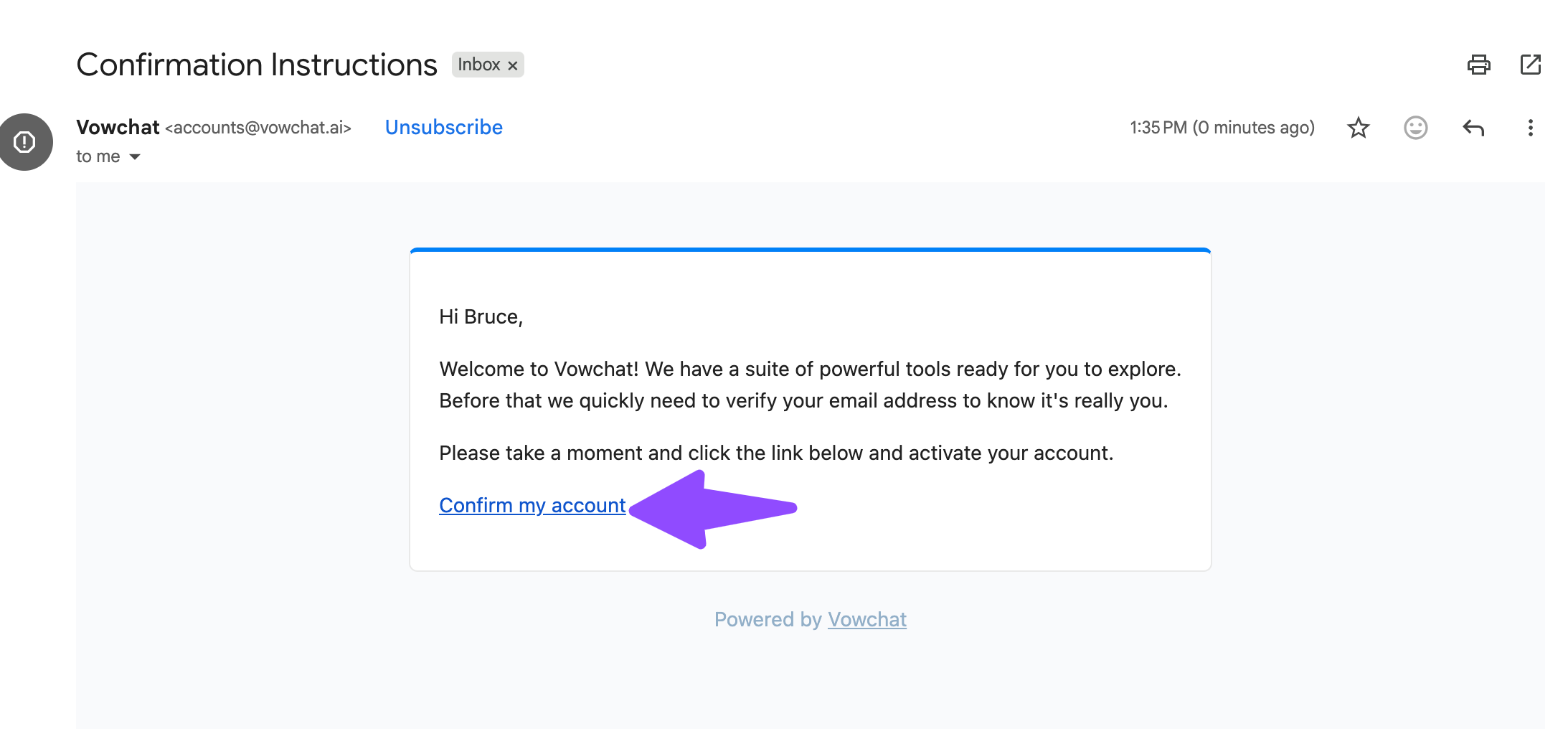
Step 4: Confirm Your Account
Open the confirmation email and click the "Confirm my account" button.
You'll be redirected back to your VowChat dashboard, and your account will be fully activated!
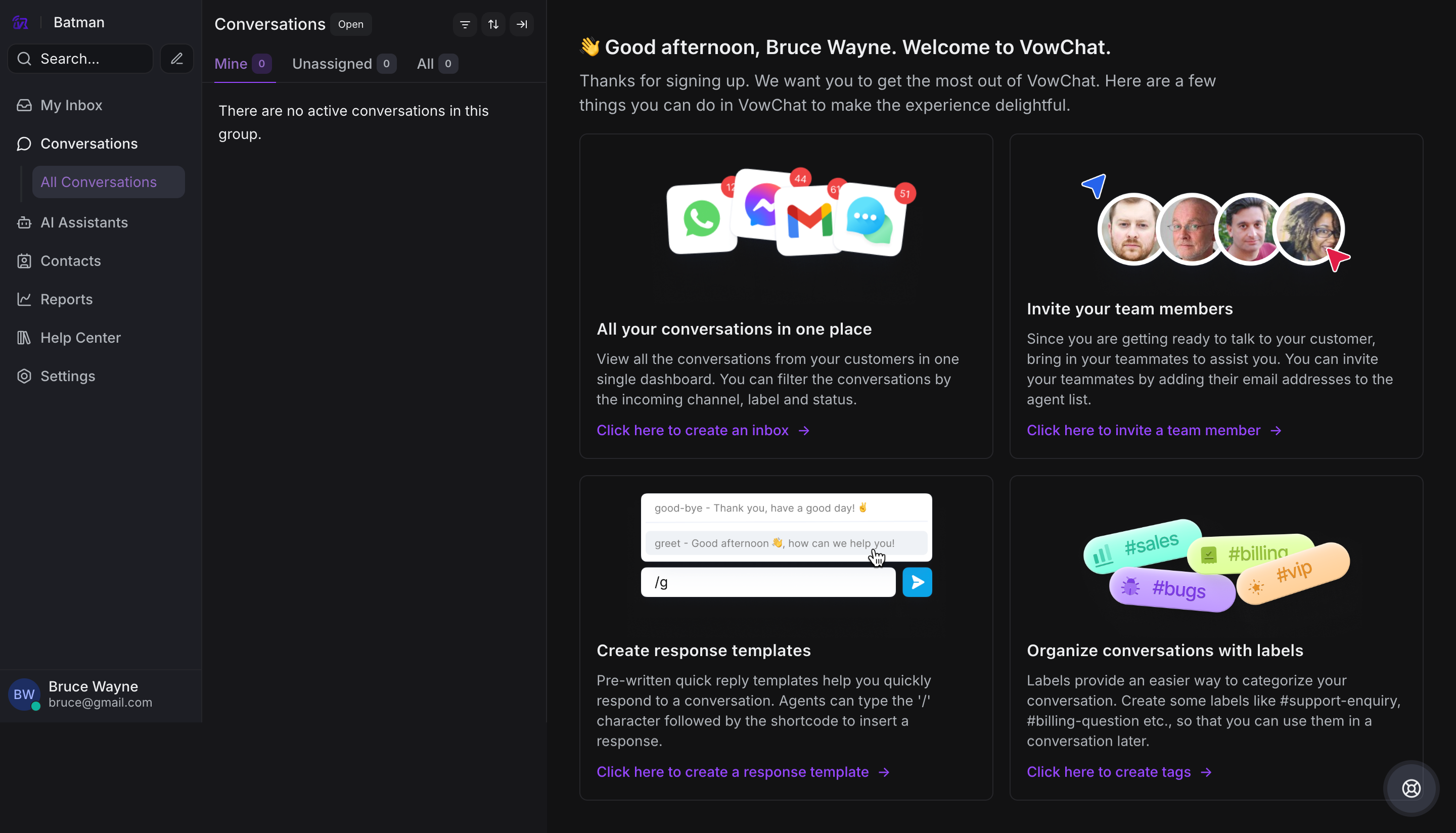
What's Next?
Now that your account is created, here are the recommended next steps:
-
Customize your personal profile - Add your photo and contact details
-
Configure account settings - Set up your account preferences
-
Add Agents - Invite your team members
-
Add Channels - Connect your communication channels (website, email, social media)
-
Configure chat widget - Customize your website chat widget
-
Add Teams - Organize agents into teams
-
Add Labels - Create labels for organizing conversations
-
Add Response Templates - Create templates for common responses
-
Set up Integrations - Connect with other tools
-
Connect Applications - Integrate third-party apps
Welcome to VowChat! 🚀