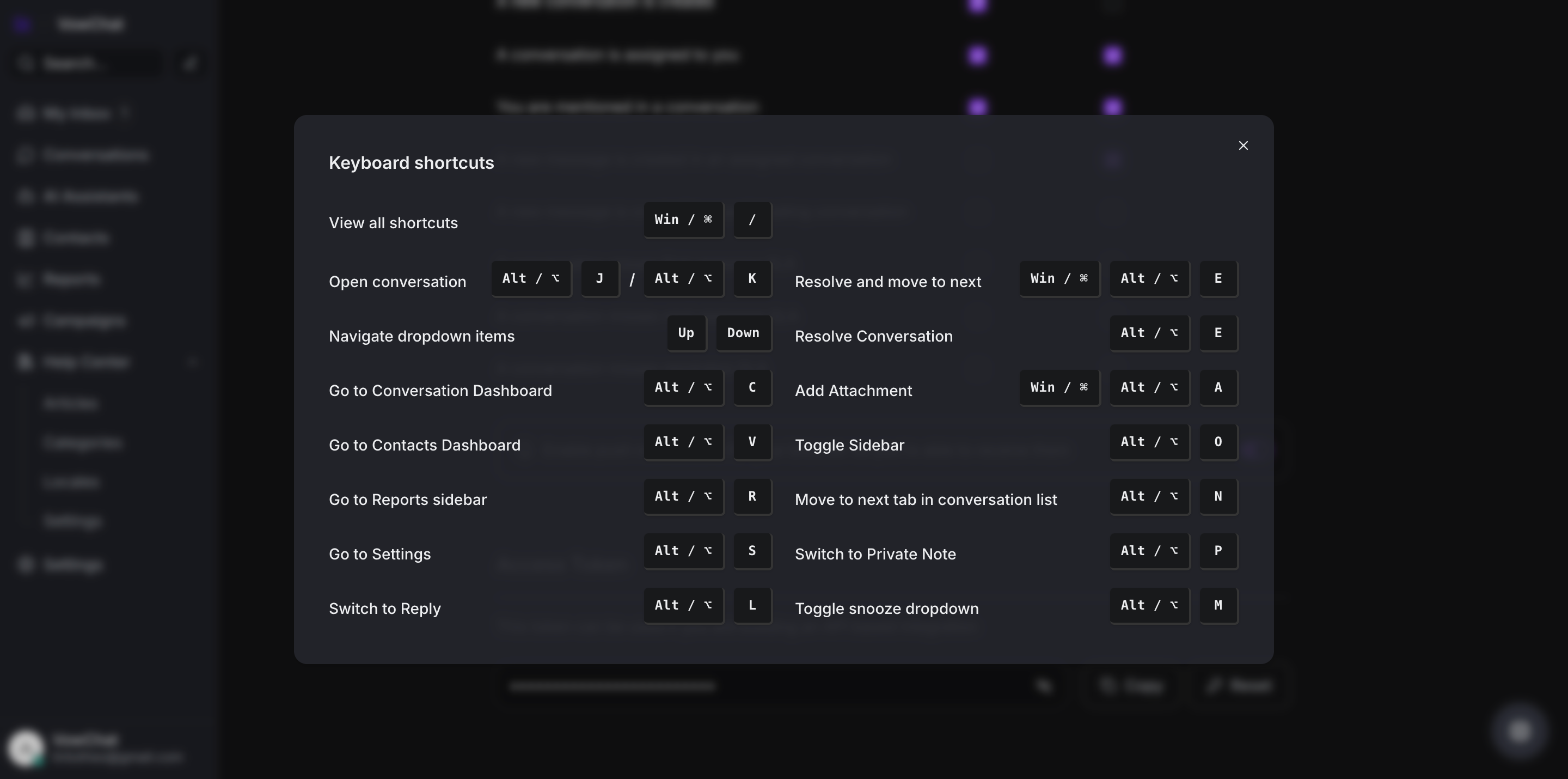
To enhance productivity, VowChat offers keyboard shortcuts for quick actions like:
-
Opening a conversation
-
Resolving a conversation
-
Toggling the sidebar
-
Going to Settings
How to View Keyboard Shortcuts
There are two ways to display available keyboard shortcuts:
-
Press "CMD + /" or "Win + /" on your keyboard
-
Select "Keyboard Shortcuts" from your Profile Settings menu