Overview
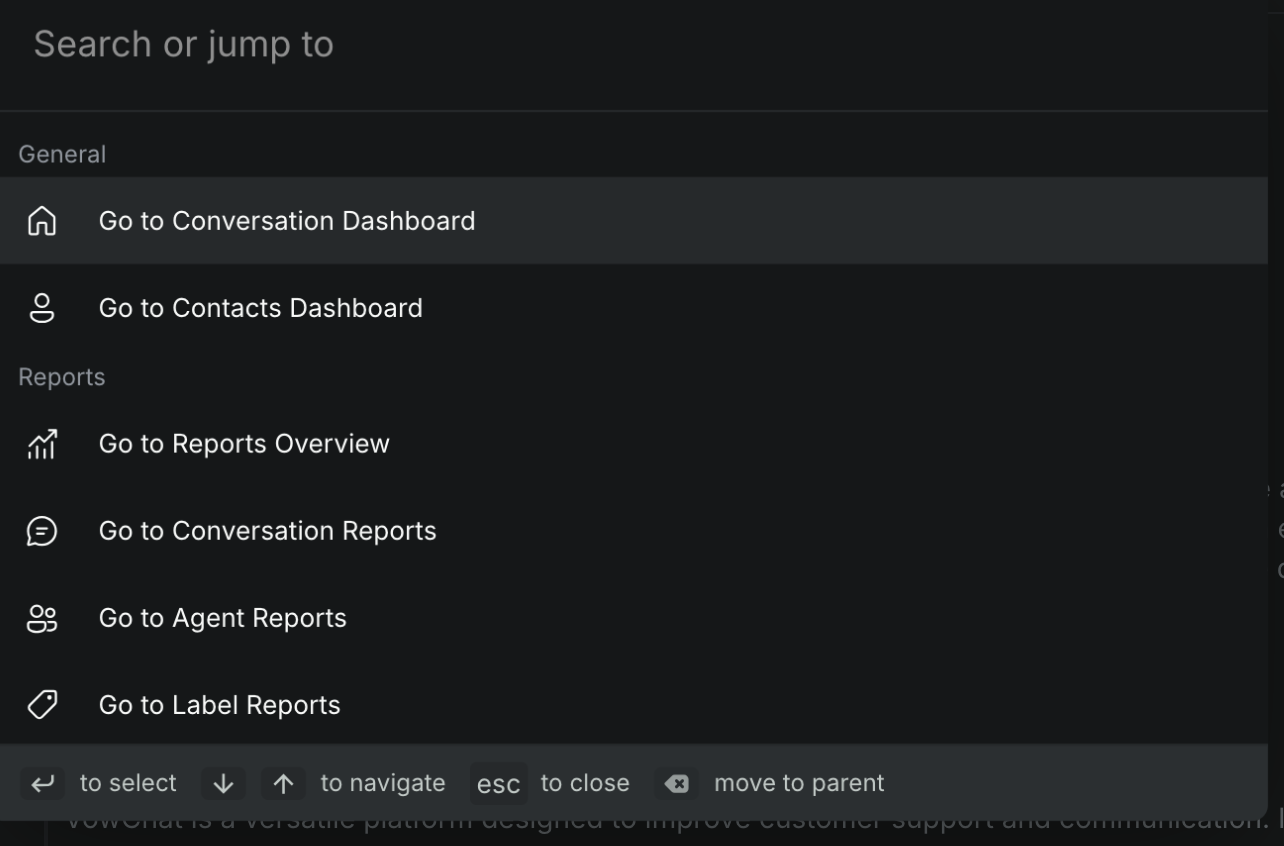
The command bar in VowChat is a productivity feature accessible via ⌘ + K (macOS) or Ctrl + K (Windows/Linux) that allows quick navigation and action execution across the dashboard.
Key Features
Page Navigation
You can quickly jump to various pages by typing the page name, including:
-
Dashboard Home
-
Contacts
-
Reports
-
Settings
-
Notifications
Conversation Actions
The command bar offers context-aware actions such as:
-
Resolve/Reopen conversation
-
Mute/Unmute conversation
-
Send email transcript
-
Assign conversation to agent/team
-
Add labels
-
Snooze conversation
Example: Assigning an Agent
-
Open the command bar
-
Search for "Assign agent"
-
Press Enter
-
Select the desired agent
Additional Notes
The command bar provides smart action suggestions based on your current location in your dashboard, making it a dynamic and context-sensitive tool for user productivity.