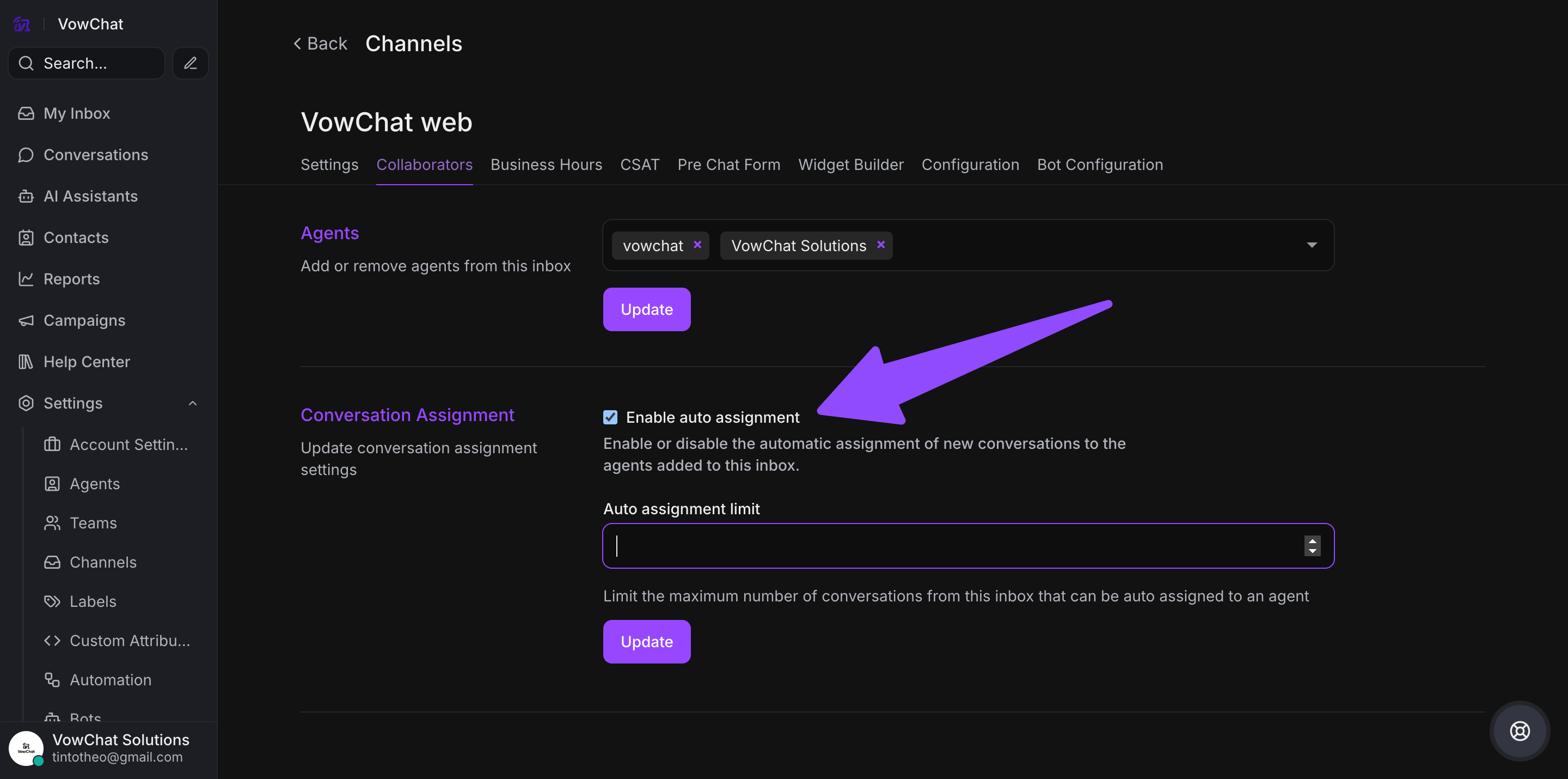
VowChat follows a round-robin auto-assignment system for conversations. This means that conversations are divided evenly among available agents. If no agents are available, conversations remain "Unassigned". This feature is turned on by default.
How to enable/disable round-robin assignments?
Step 1: Access Channel Settings
Go to Settings → Channels. Click on the settings link for the specific channel.
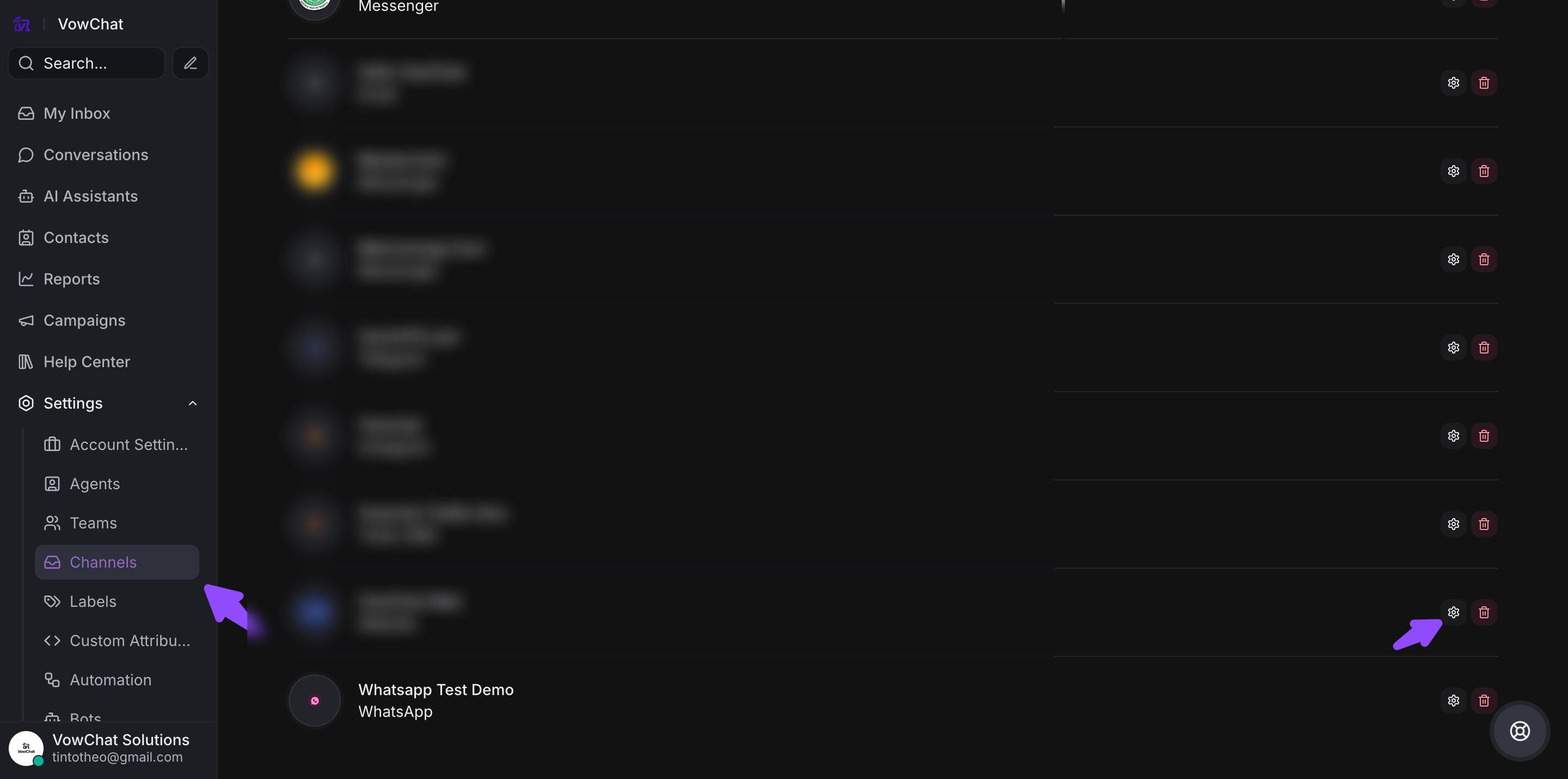
Step 2: Navigate to Collaborators Tab
Find the "Conversation Assignment" setting.
Step 3: Enable Auto Assignment
Check the "Enable auto assignment" box and click "Update".