VowChat supports 30+ languages based on ISO 639 language codes, making it accessible to users worldwide.
Changing Dashboard Language
Administrators can change the dashboard language in Settings → Account Settings.
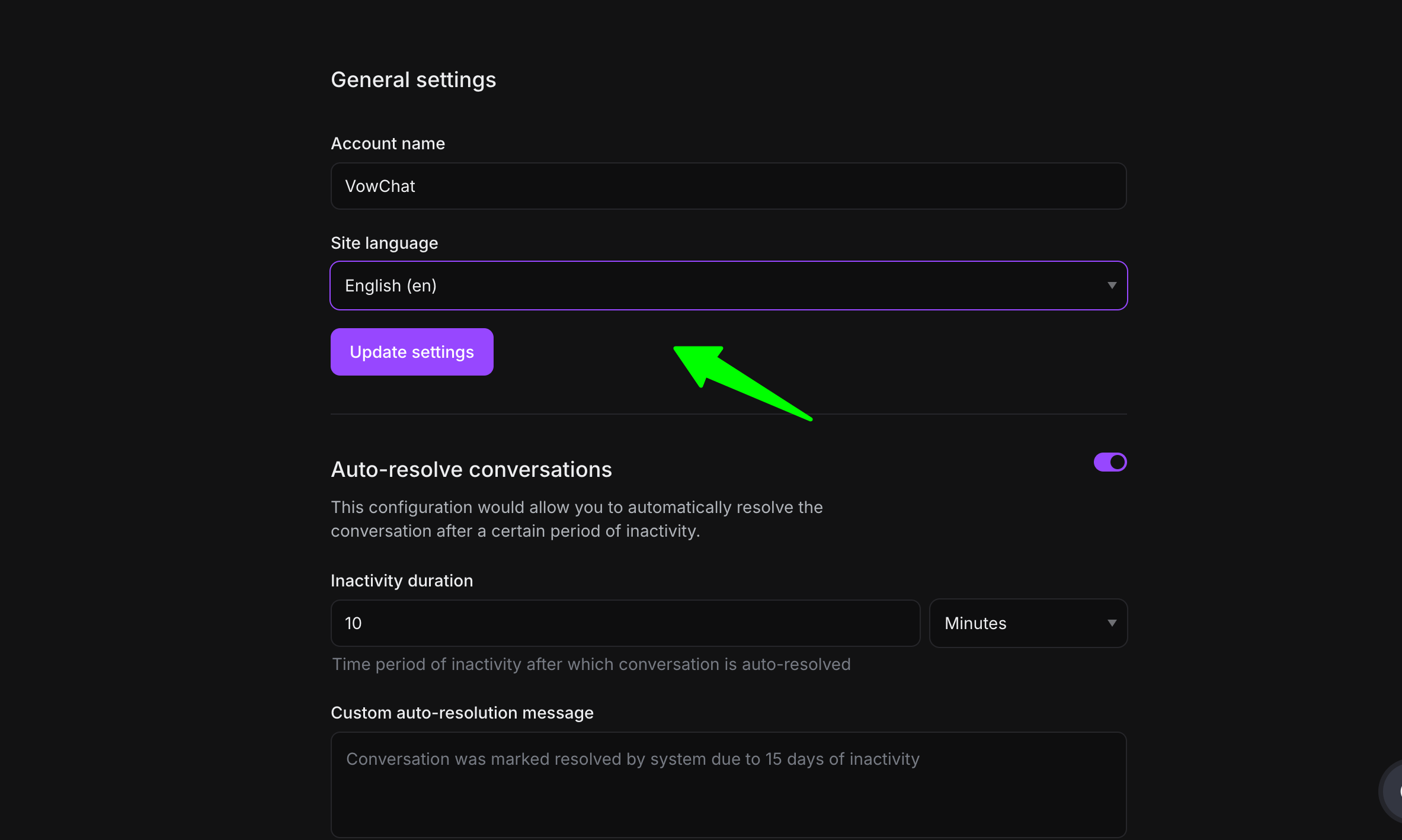
Select your preferred language from the dropdown menu and save your changes.
Note: Currently, VowChat does not support language selection at the agent level. The language setting applies account-wide.
Configuring Live-chat Widget Language
You can configure the language for your live-chat widget using JavaScript:
Method 1: Pass via window.vowchatSettings
window.vowchatSettings = {
  locale: 'pt_BR',
  // .. rest of the settings
}
Method 2: Using setLocale method
window.$vowchat.setLocale('pt_BR')
Supported Languages
VowChat supports the following languages:
-
Arabic (ar)
-
Bulgarian (bg)
-
Catalan (ca)
-
Czech (cs)
-
Danish (da)
-
German (de)
-
Greek (el)
-
English (en)
-
Spanish (es)
-
Persian (fa)
-
Finnish (fi)
-
French (fr)
-
Hebrew (he)
-
Hindi (hi)
-
Hungarian (hu)
-
Indonesian (id)
-
Italian (it)
-
Japanese (ja)
-
Korean (ko)
-
Malayalam (ml)
-
Dutch (nl)
-
Norwegian (no)
-
Polish (pl)
-
Portuguese (pt, pt-BR)
-
Romanian (ro)
-
Russian (ru)
-
Slovak (sk)
-
Swedish (sv)
-
Tamil (ta)
-
Turkish (tr)
-
Ukrainian (uk)
-
Vietnamese (vi)
-
Chinese Simplified (zh-CN)
-
Chinese Traditional (zh-TW)
And many more! The list is continuously growing as our community contributes translations.