How to read Conversations Reports?
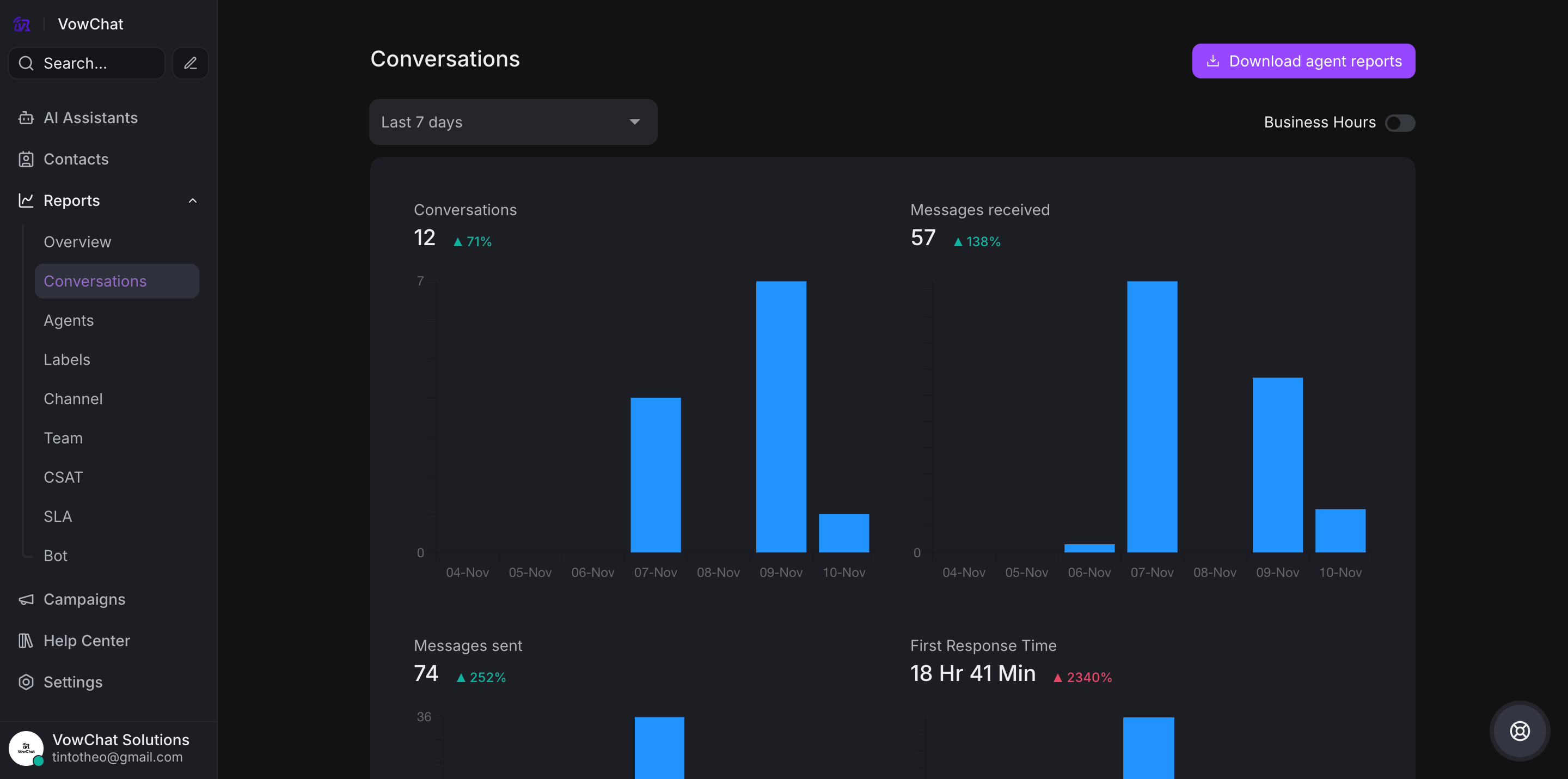
The conversation report is an overview about all your conversations across a time-period.
Access
Navigate to Reports → Conversations
Key Metrics
-
Conversations: Daily/weekly conversation count
-
Messages received: Total incoming messages
-
Messages sent: Total outgoing messages
-
First Response Time (FRT): Average agent response time
-
Resolution Time: Average time to resolve conversations
-
Resolution Count: Number of resolved conversations
-
Customer waiting time: Time customers wait for responses
Available Filters
View reports by:
-
Agents: Individual agent performance
-
Labels: Conversations grouped by labels
-
Channels: Performance by communication channel
-
Teams: Team-level metrics
Benefits
-
Monitor productivity
-
Identify trends
-
Find areas for improvement
-
Track conversation volume and response efficiency
Each filter helps analyze different dimensions of your customer communication performance.