WhatsApp Templates
WhatsApp templates are pre-approved message formats that allow you to initiate conversations with your customers for professional communication.
Purpose
-
Send promotional messages
-
Provide order updates
-
Send support notifications
-
Ensure compliance with WhatsApp messaging policies
Template Categories
-
Utility (transactional messages)
-
Marketing (promotional content)
-
Shipping Update
-
Ticket Update
-
Issue Resolution
Creation Process
Step 1. Access WhatsApp Business Manager
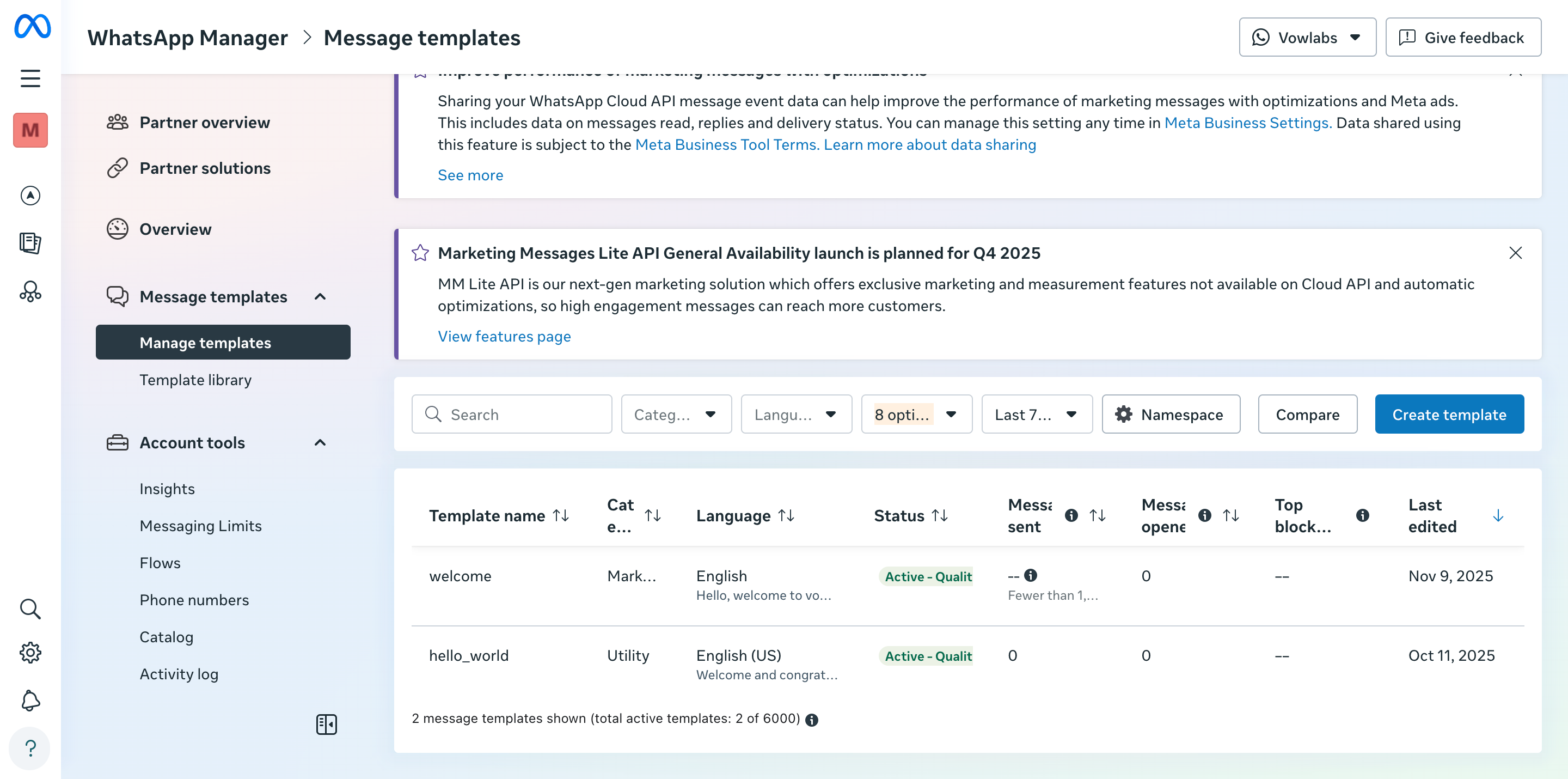
Step 2. Navigate to "Message templates"
Step 3. Create and design template with:
-
Text messages with personalized variables
-
Images, videos, documents
-
Action and call-to-action buttons
Step 4. Submit for WhatsApp approval (up to 24 hours)
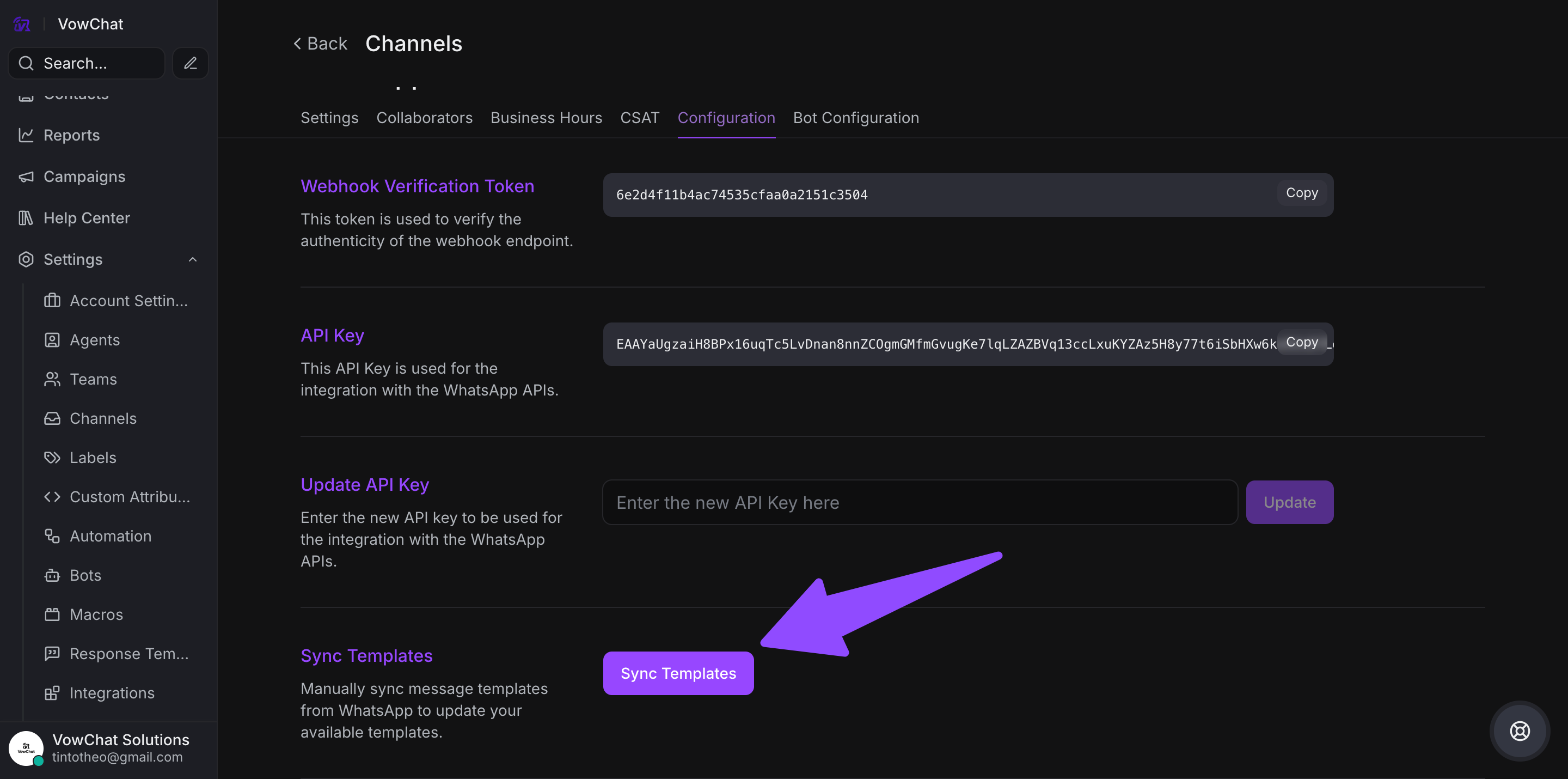
Step 5. Sync approved templates to VowChat
Sending Methods
-
Individual conversations
-
Mass campaigns through VowChat dashboard
Important Limitations
-
Currently only supported for WhatsApp Cloud channels
-
Cannot include authentication templates
-
No support for interactive components like lists or product catalogs
Use WhatsApp templates to start compliant conversations and engage customers effectively