How to use Campaigns?
Campaigns are a feature for sending outbound messages to customers. VowChat supports two types of campaigns:
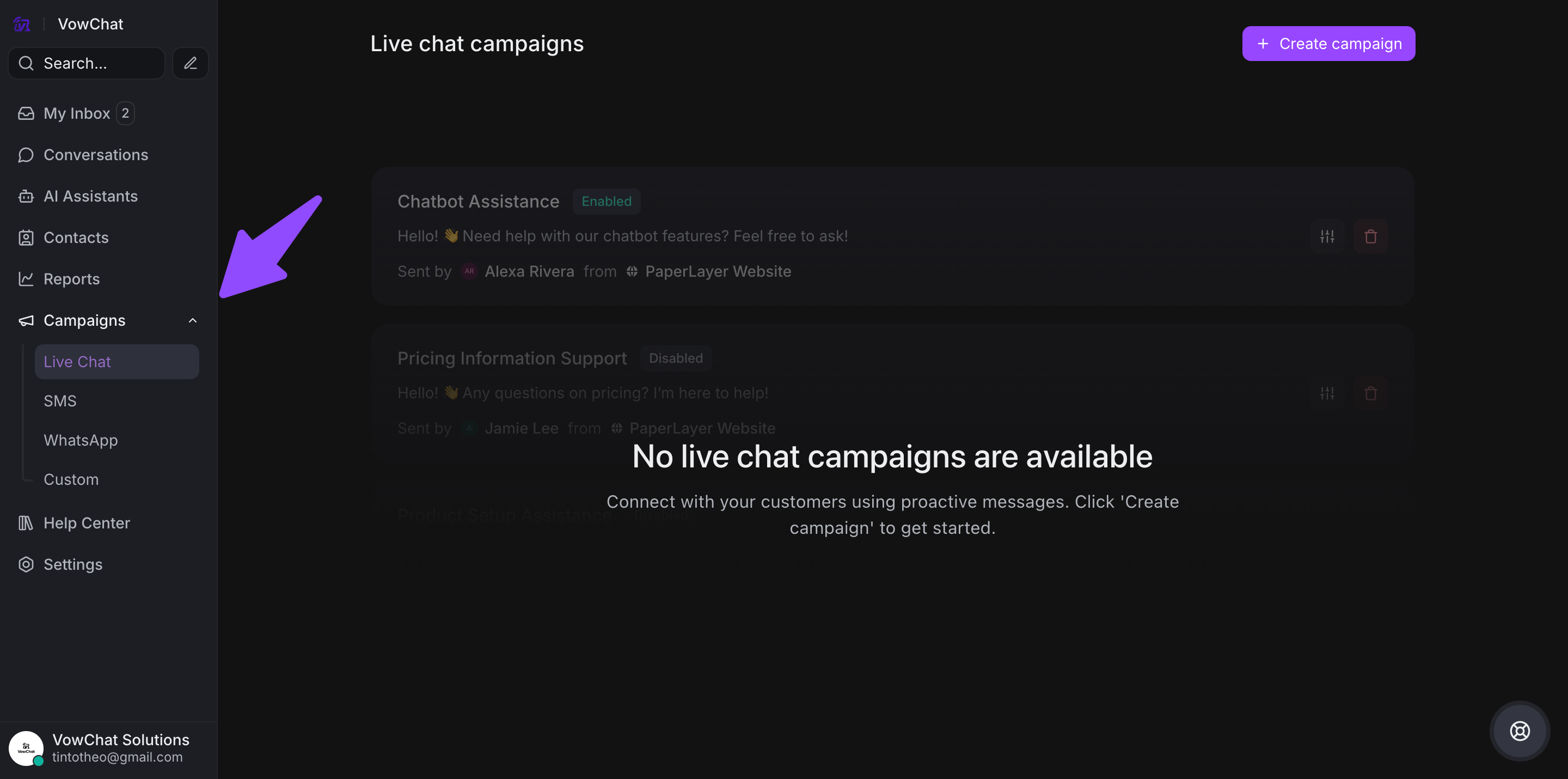
1. Ongoing Campaigns
Triggered on website live chat based on specific user behaviors:
-
Time spent on a page
-
Number of pages visited
-
URL patterns
Goal: Increase conversions and maintain customer engagement
Setup Steps:
-
Go to Settings → Campaigns → Add a new campaign
-
Select "Ongoing" campaign type
-
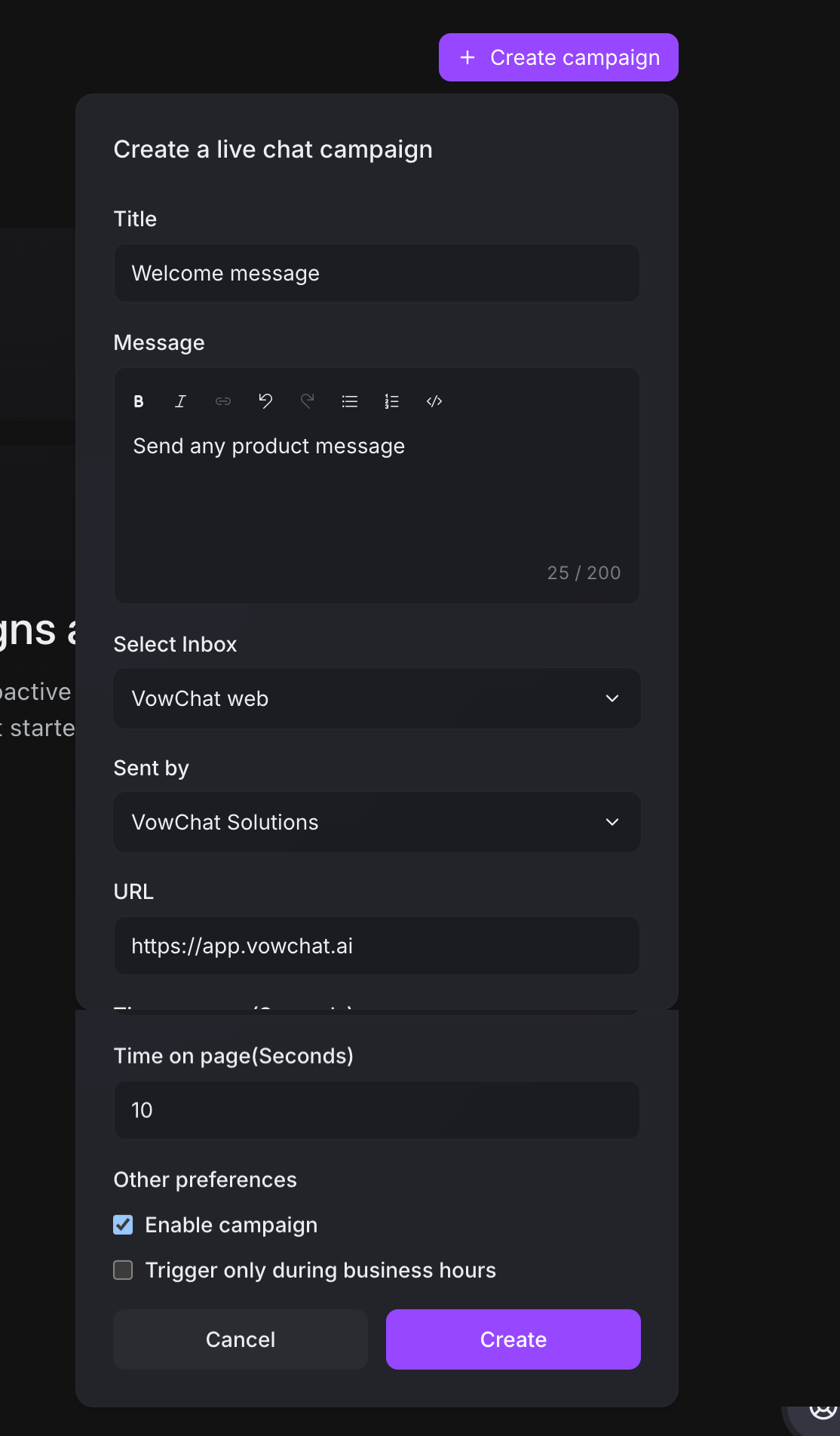
Configure campaign details:
-
Title
-
Message content
-
Select channel
-
Define targeting conditions (URL, time on page, audience)
-
Set sender (bot or agent)
-
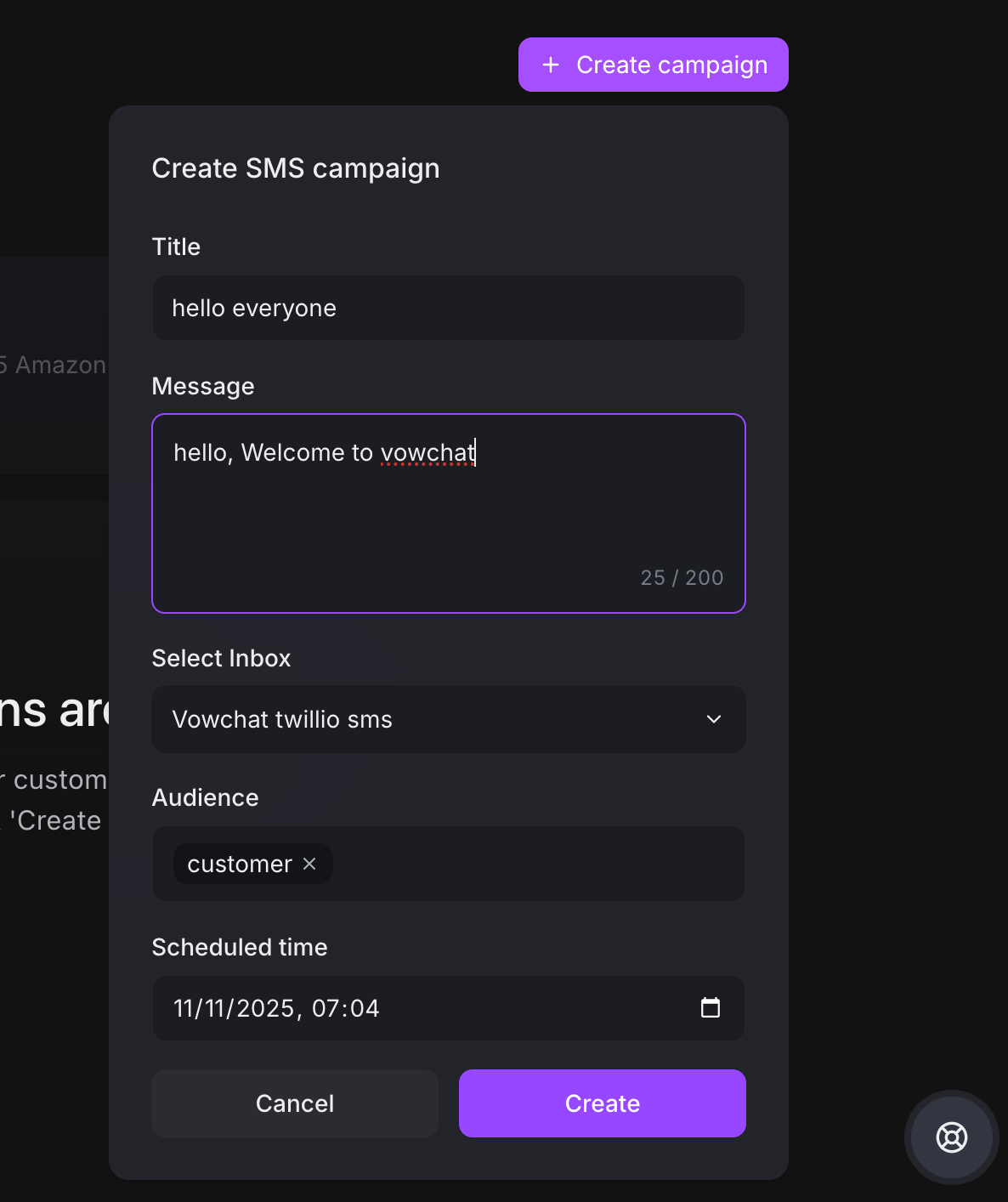
2. One-off Campaigns
Send SMS messages to contact groups for announcements, promotions, or offers.
Setup Steps:
-
Select "One-off" campaign type
-
Configure message content
-
Select audience (contact labels)
-
Schedule or send immediately
Campaign Features
-
Use wildcard URLs for broader targeting
-
Edit or delete campaigns anytime
-
Track campaign performance
-
Personalize with template variables
Start creating campaigns from Settings → Campaigns to engage customers proactively.