How to use Automation?
VowChat's automation feature streamlines team workflow by automating repetitive tasks and saving time. It allows for various actions such as assigning labels, and teams and routing conversations to the most suitable agent.
How does Automation work?
An automation rule is made up of three things––An Event, Conditions, and Actions.
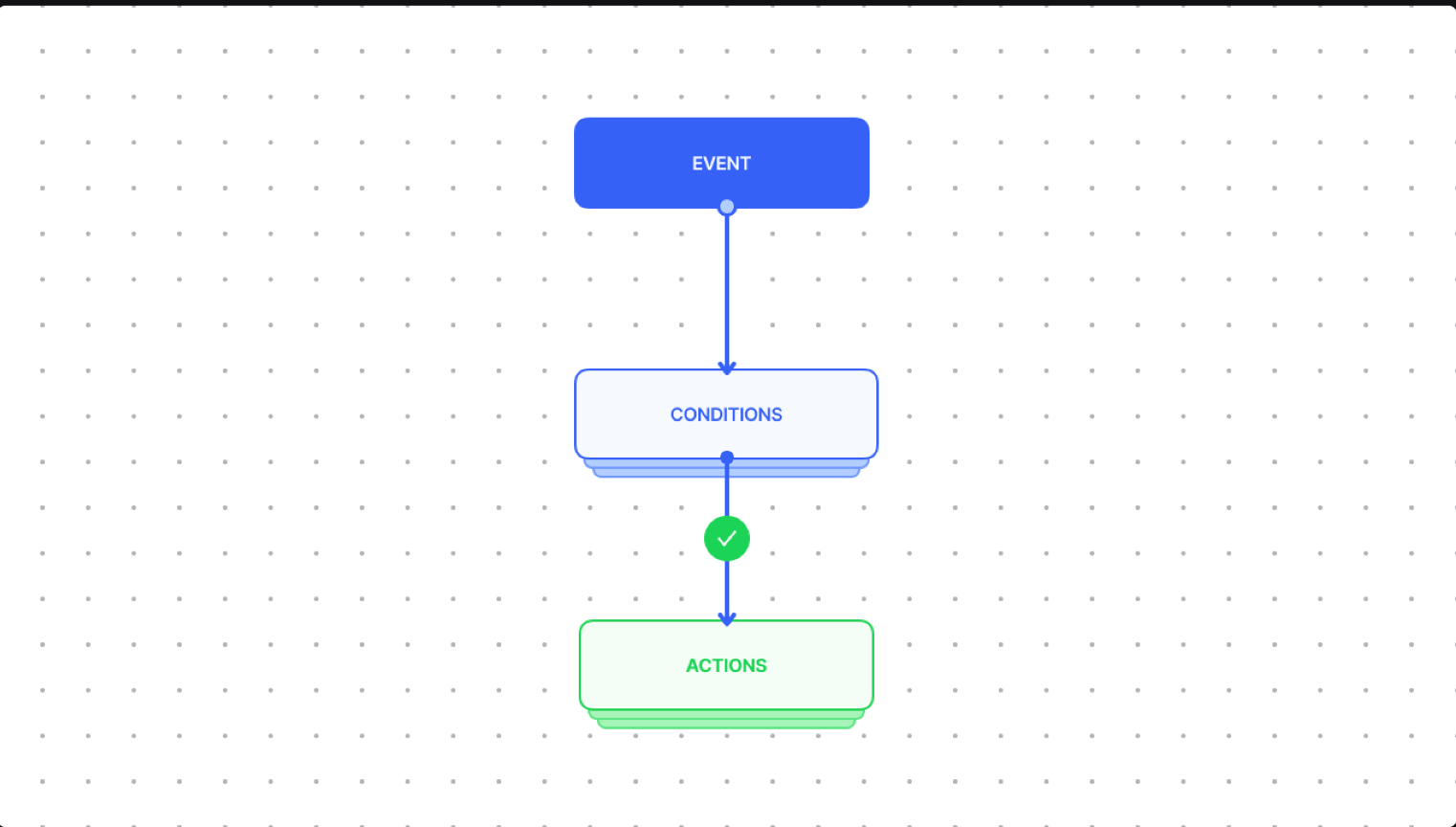
Automation Events
Automation Events are triggers that initiate the execution of automation:
-
Conversation created: Triggered when a new conversation is created
-
Conversation updated: Triggered when a conversation is updated
-
Message created: Triggered when a new message is created
-
Conversation opened: Triggered when a snoozed/resolved conversation is opened
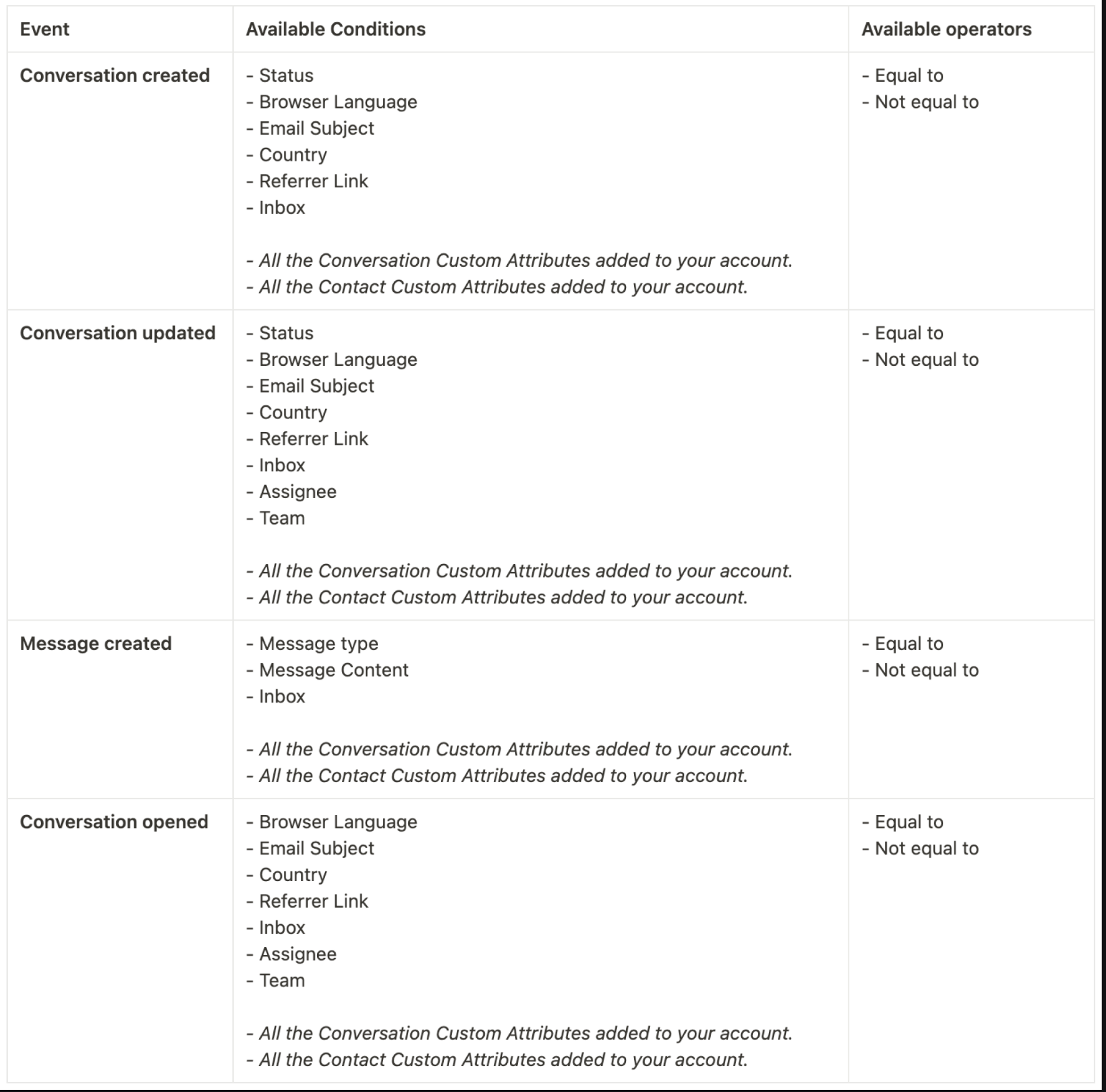
Automation Conditions
Conditions are the criteria that must be met before the actions are performed.
Automation Actions
Actions are tasks executed when conditions are met:
-
Assign to agent
-
Assign a team
-
Add a label
-
Send an email to team
-
Send an email transcript
-
Mute conversation
-
Snooze conversation
-
Resolve conversation
-
Send Webhook Event
-
Send Attachment
-
Send a message
Create automation rules from Settings → Automation to streamline your workflow.