A message signature in VowChat is a personalized sign-off that can be used across all channels, not just emails. Agents can create and customize their signature with rich text formatting to add a professional touch to their messages.
What is a Message Signature?
A message signature is a pre-formatted text block that automatically or manually appends to your messages. It can include:
-
Your name and title
-
Contact information
-
Social media links
-
Company branding
-
Custom formatting and images
Important Note: Signature appearance varies by channel type. In-line images are only visible in:
-
Email channels
-
Website live chat
-
API channels
How to Create a Message Signature
Step 1. Click your profile icon and go to Personal Settings
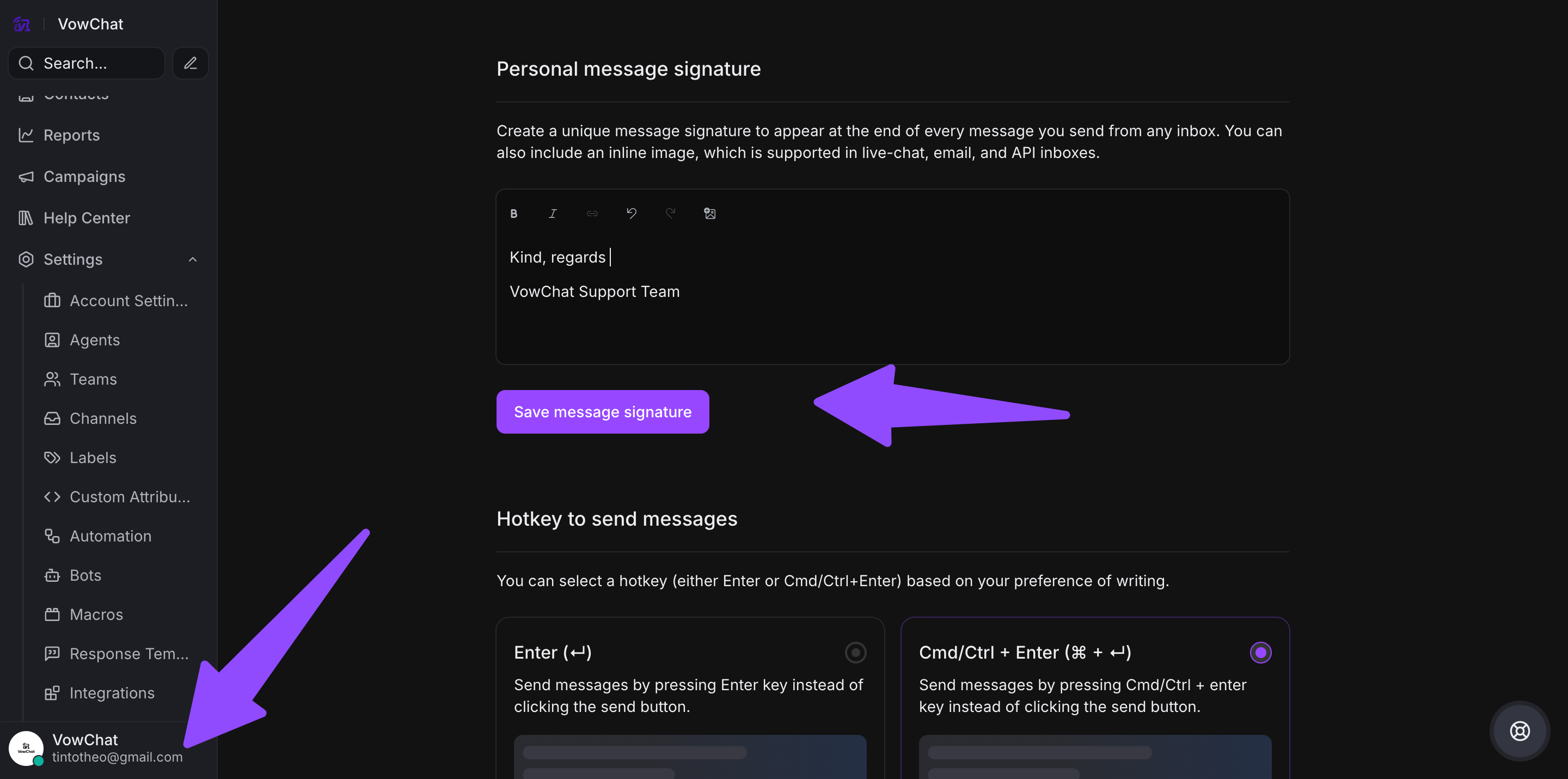
Step 2. Scroll to the Personal message signature section
Step 3. Use the rich text editor to craft your signature:
-
Add bold, italic, or underlined text
-
Include links to your profiles or resources
-
Add images (will appear in supported channels only)
-
Format with colors and styles
Step 4. Click Save message signature
Using Your Message Signature
Once created, you have full control over when to use your signature:
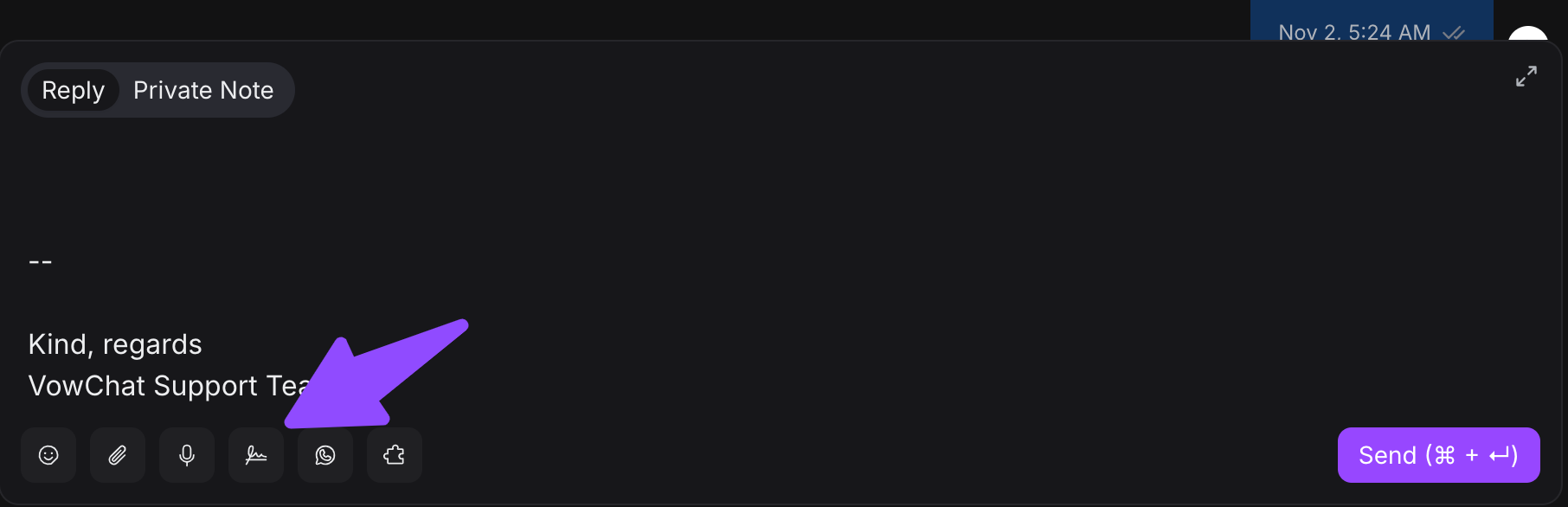
Option 1: Automatic Append
Your signature automatically appends to all outgoing messages.
Option 2: Edit Before Sending
You can modify or remove the signature before sending each message.
Option 3: Disable Signature
You can temporarily disable your signature for specific conversations or channels.
Channel-Specific Behavior
Fully Supported Channels
These channels display complete signatures including images:
-
Email: Full rich text and images
-
Website Live Chat: Full rich text and images
-
API Channels: Full rich text and images
Partially Supported Channels
These channels display text formatting but not images:
-
WhatsApp: Text only
-
Facebook Messenger: Text only
-
Instagram: Text only
-
Telegram: Text only
-
SMS: Plain text only
Best Practices
-
Keep it concise: Signatures should be brief and professional
-
Include relevant info: Add contact details customers might need
-
Match your brand: Use consistent formatting with company style
-
Test across channels: Check how your signature appears in different channels
-
Update regularly: Keep information current (phone numbers, titles, etc.)
-
Consider channel limitations: Design signatures that work in text-only channels
Example Signatures
Simple Text Signature
Best regards,
John Smith
Customer Support Specialist
support@vowchat.ai
Rich Text Signature (Email/Web)
Best regards,
**John Smith**
*Customer Support Specialist*
VowChat Solutions
📧 support@vowchat.ai | 📞 +1-555-0123
Branded Signature
Thank you for choosing VowChat!
**Sarah Johnson** | Senior Support Agent
VowChat Solutions
🌐 www.vowchat.ai | 💬 Live chat available 24/7