AgentBot is an automated system that helps handle customer queries by integrating with your VowChat channels. It can process interactions, utilize external AI services, and seamlessly hand off conversations to human agents when needed.
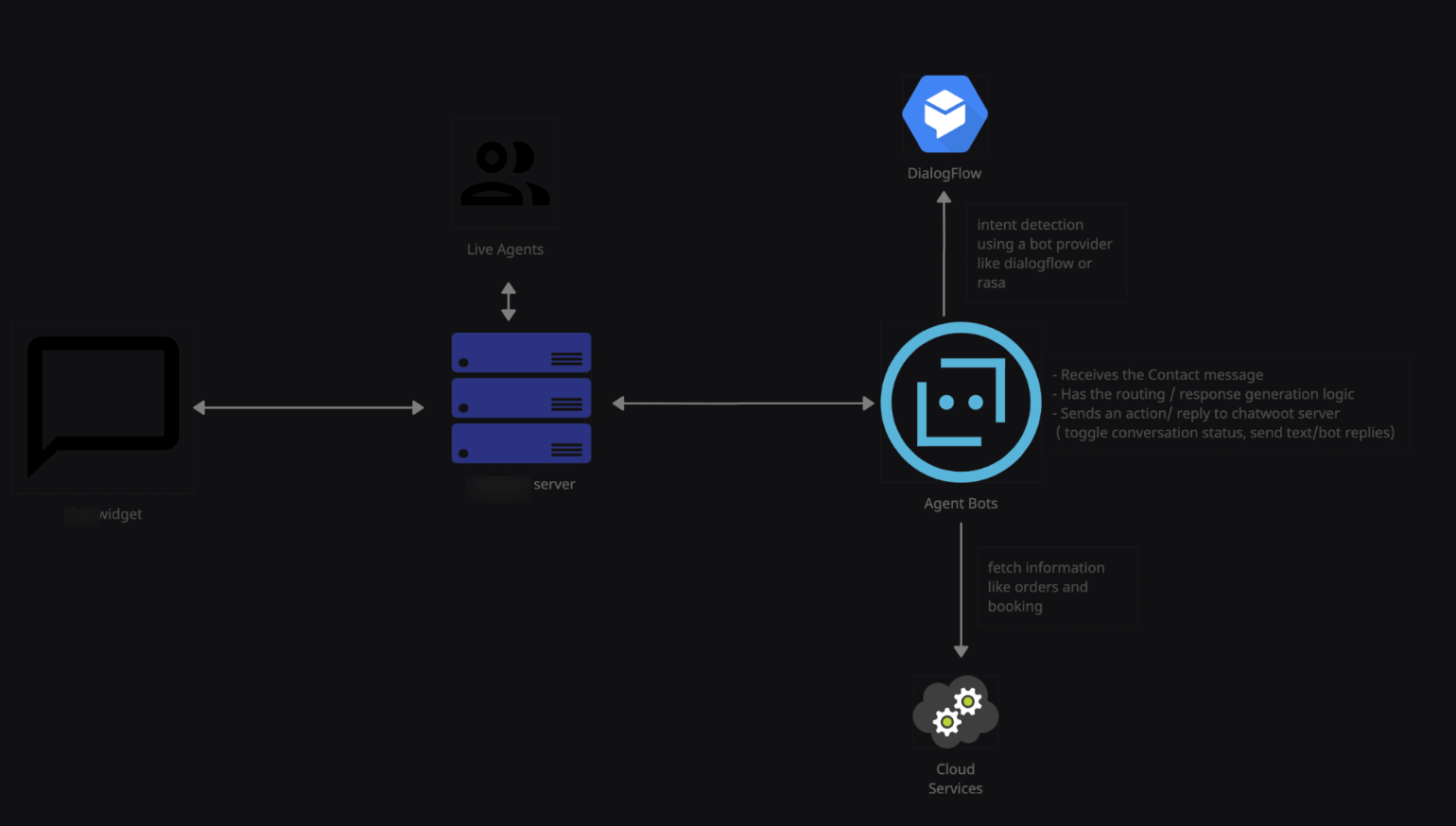
How AgentBot Works
AgentBot follows this workflow:
-
Receive interaction events from customers (like
widget_triggeredandmessage_created) -
Process customer information to understand context and intent
-
Utilize external APIs and services like Rasa or Dialogflow for intelligence
-
Generate appropriate responses based on customer queries
-
Post responses through VowChat APIs
-
Toggle conversation status between bot and human agent
-
Monitor ongoing conversations for escalation needs
Use Cases for AgentBots
-
High-volume customer support: Handle common questions automatically
-
E-commerce order tracking: Provide instant order status updates
-
Content recommendations: Suggest relevant articles or products
-
Booking and reservation management: Assist with appointments and bookings
Creating Agent Bots
Step 1. Go to your VowChat account settings and navigate to the Bots page
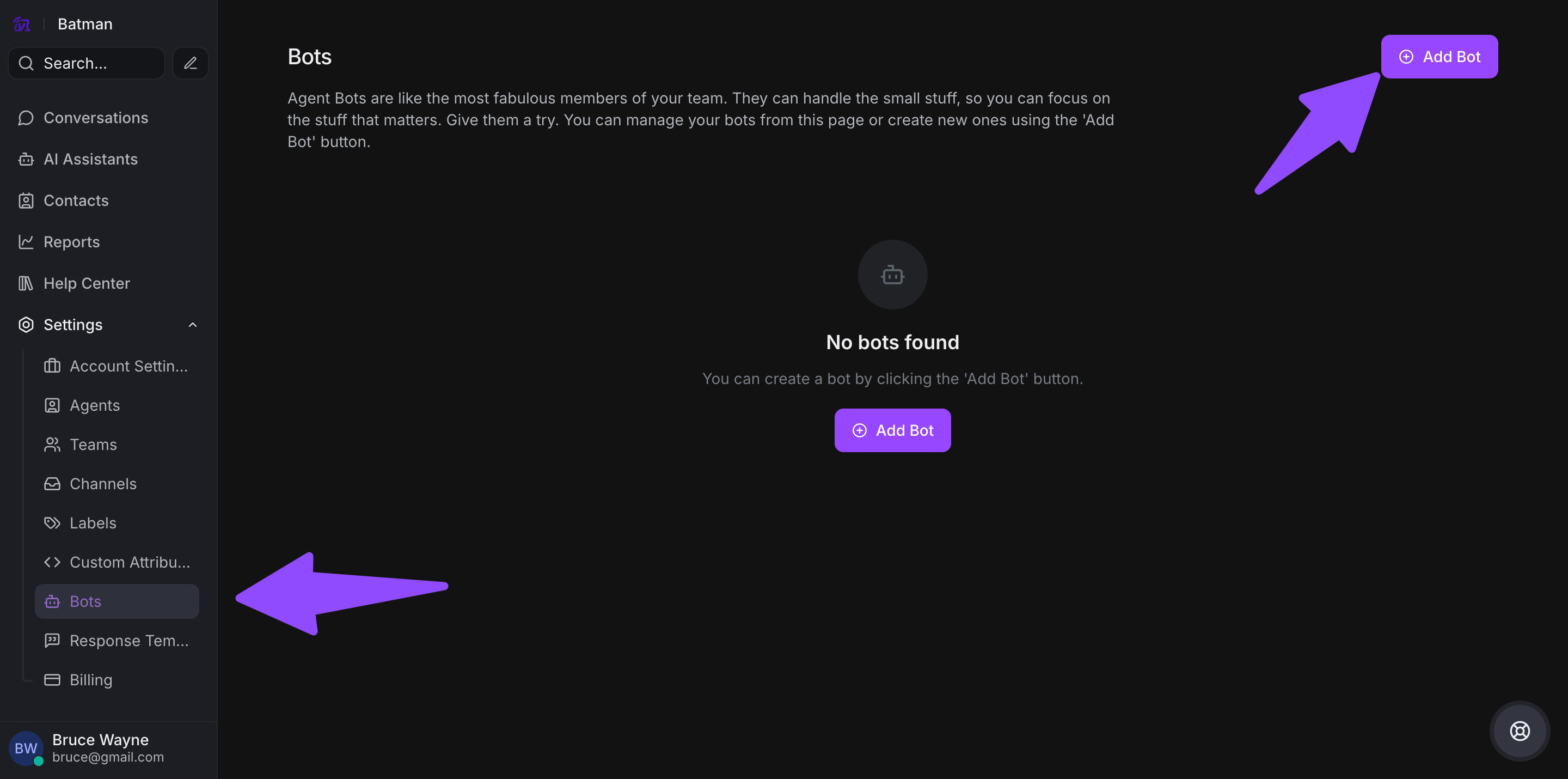
Step 2. Click Add Bot and configure:
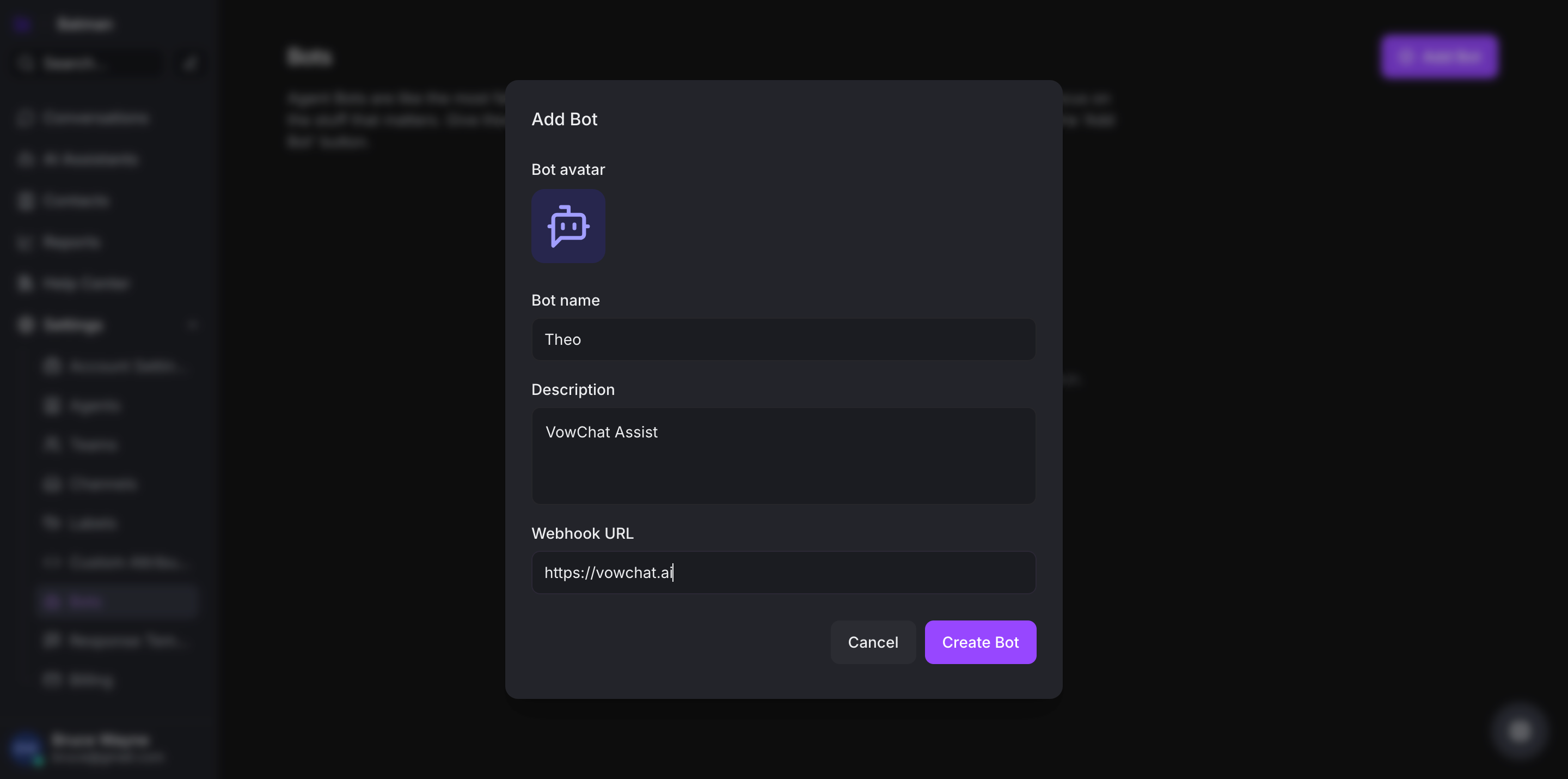
-
Bot Name: Give your bot a recognizable name
-
Avatar: Upload an avatar image for the bot
-
Webhook URL: Enter the endpoint where your bot receives events
Step 3. Click Create to save your bot
How to Connect a Channel to a Bot?
Once your bot is created, you need to connect it to specific channels:
Step 1. Go to Settings → Channels
Step 2. Select the channel you want to connect to the bot
Step 3. In the channel settings, find the Agent Bot section
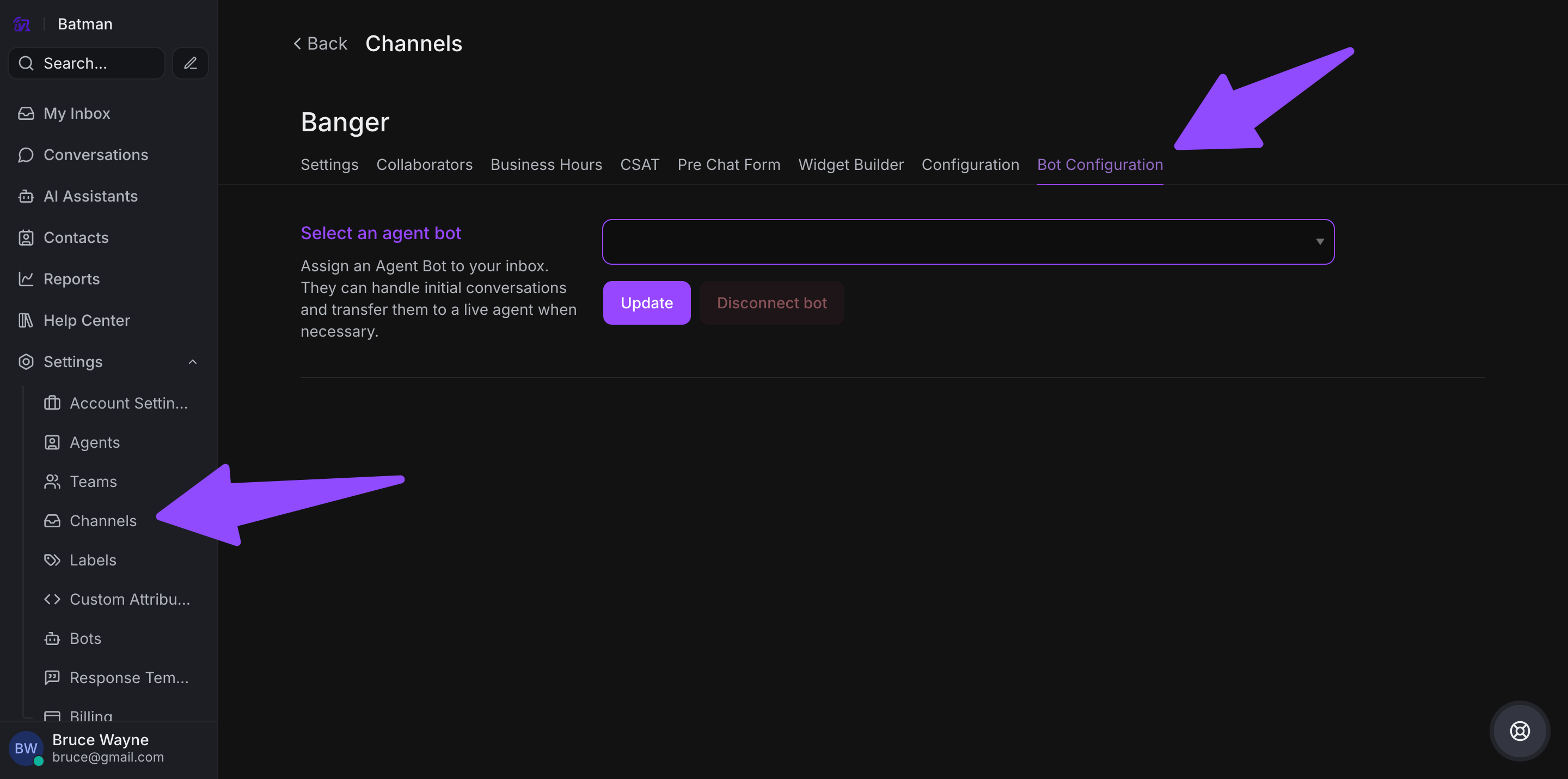
Step 4. Select your bot from the dropdown menu
Step 5. Save the settings
Your bot is now active and will handle conversations on that channel!
Example Implementations
VowChat supports integration with popular AI platforms:
-
Dialogflow: Build conversational AI with Google's natural language processing
-
Rasa: Create custom open-source conversational AI
Check the VowChat documentation for detailed integration guides for these platforms.