Labels in VowChat can help you easily categorize and prioritize conversations. They are account-specific and can be customized with colors and names.
Steps to Add Labels
Step 1. Click Settings → Labels → Add Label button
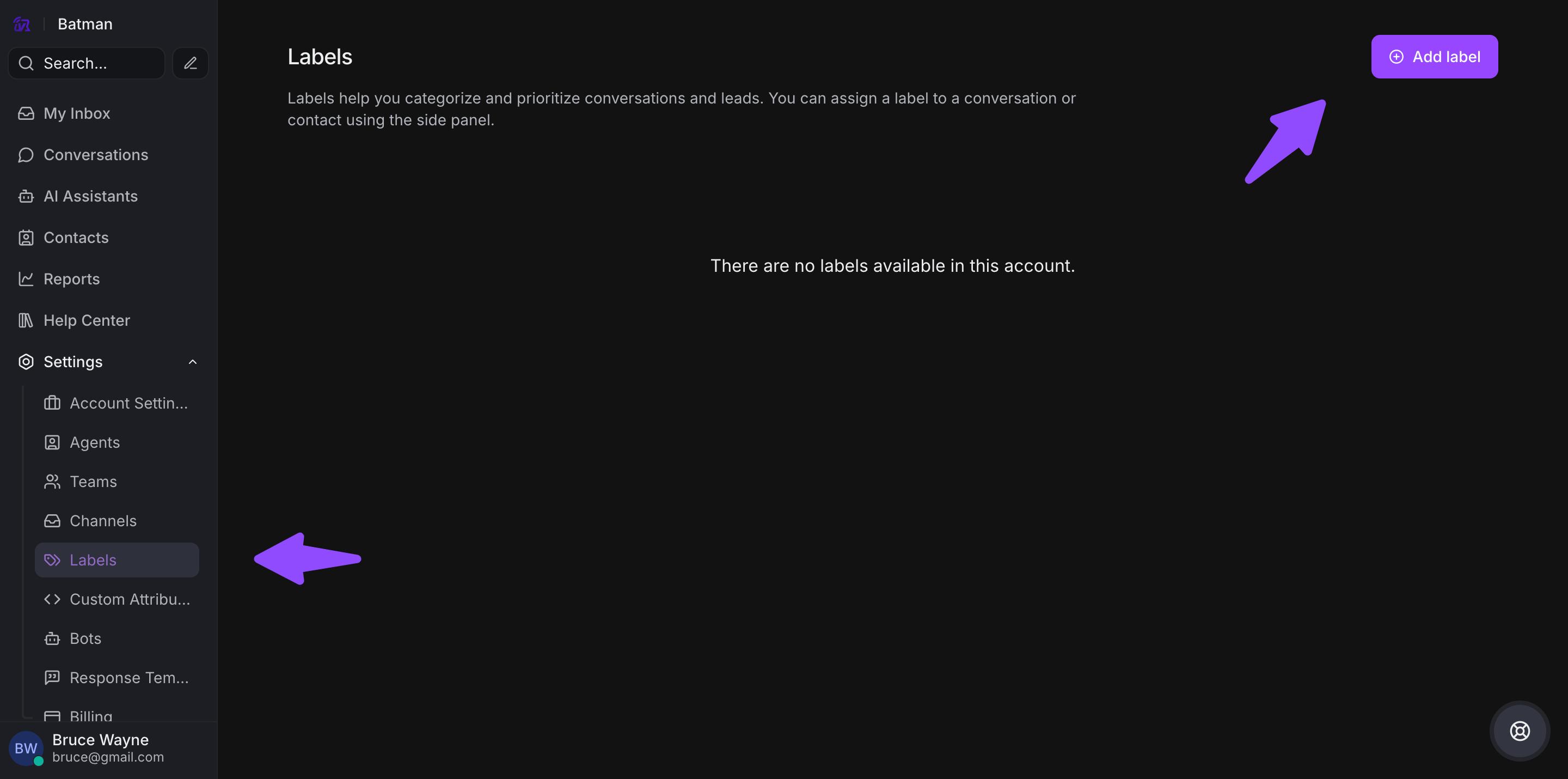
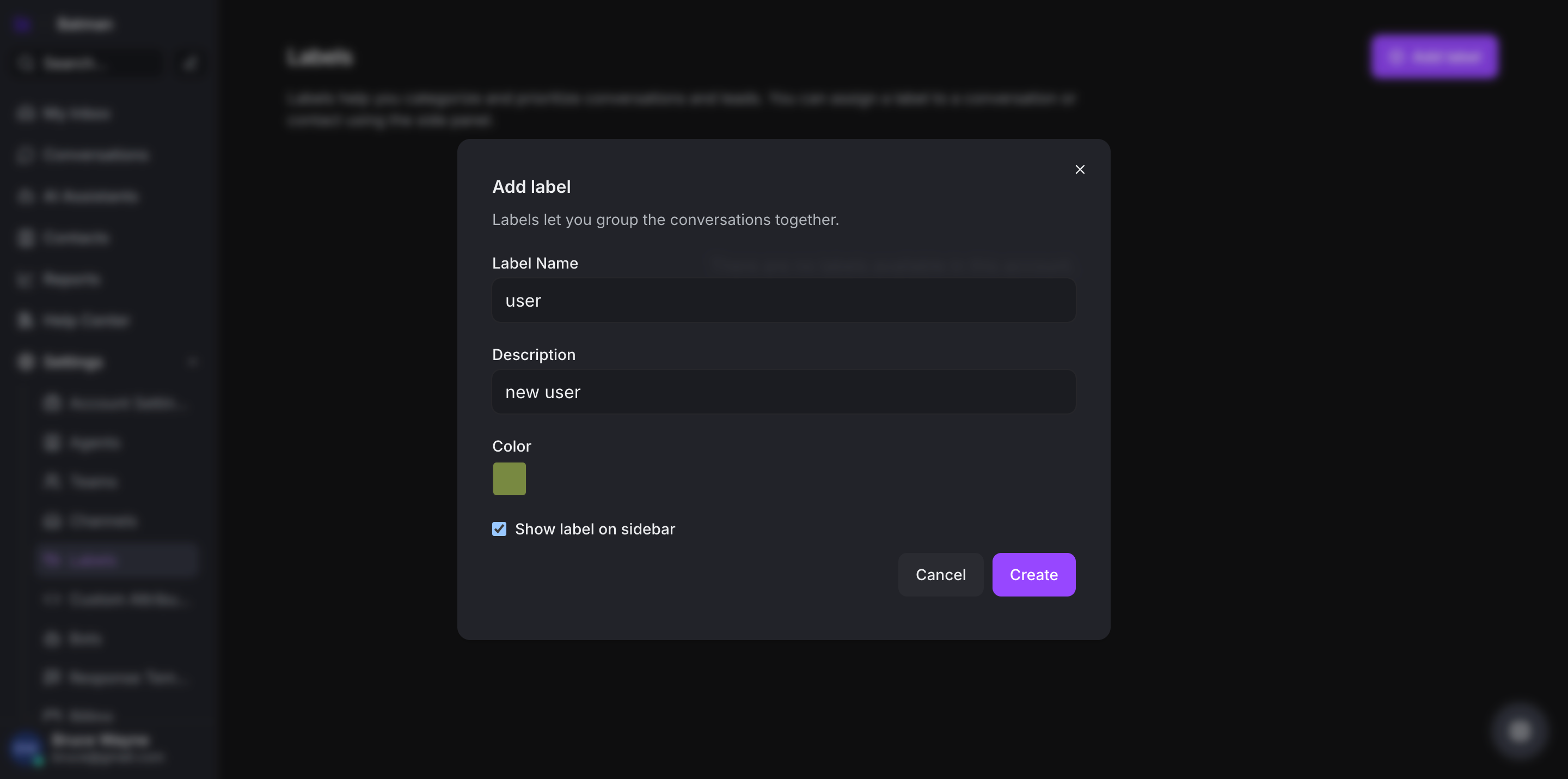
Step 2. Design your label with the following options:
-
Label Name: Use alphanumeric characters, hyphens, or underscores
-
Description: Add context about when to use this label
-
Color: Select a color to visually identify the label
-
Show on sidebar: Optional checkbox to display in sidebar for quick access
Step 3. Click Create to finalize the label
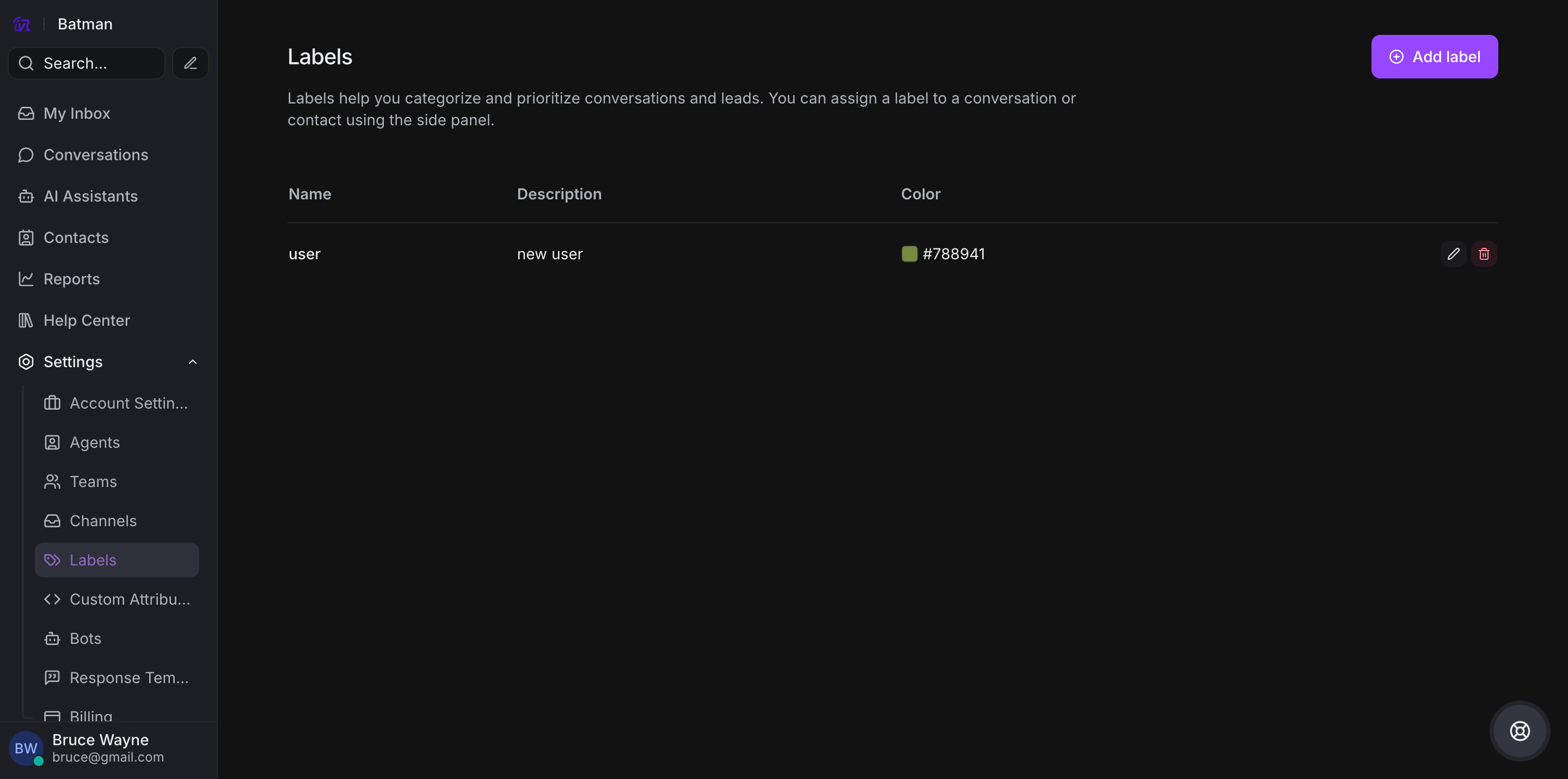
Steps to Modify or Delete Labels
Step 1. Go to Settings → Labels
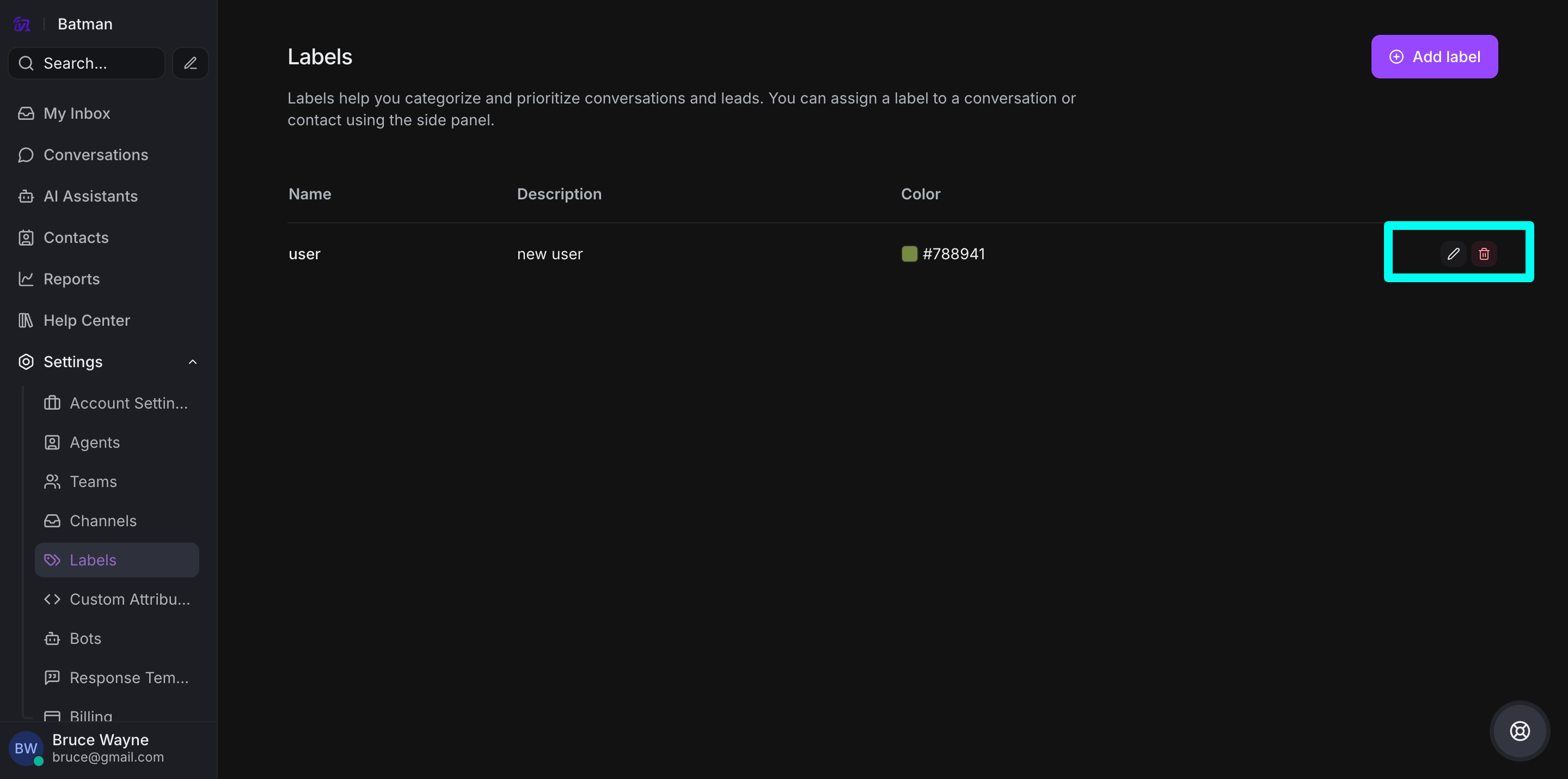
Step 2. Use the action icons:
-
Pencil icon: Edit the label
-
Red cross icon: Delete the label
Step 3. For editing, modify the name or description and save your changes
That's it! You can now organize your conversations with custom labels tailored to your workflow.